

1. Make any size document you desire. I used a 380x380 for the tutorial. Now press "D" on your keyboard to reset the foreground and background colors to black and white. Make sure your background is white.
2. Make a new layer and select the paint brush tool, go to the top menu and select your brush:
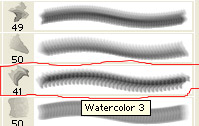
Adjust the size of the brush to however you feel. After doing this make a nice smooth wavy brush mark on your canvas. Might take a couple tries to get the spiral you want. If the brush stroke doesn't look good press Ctrl+Z to undo and try again!
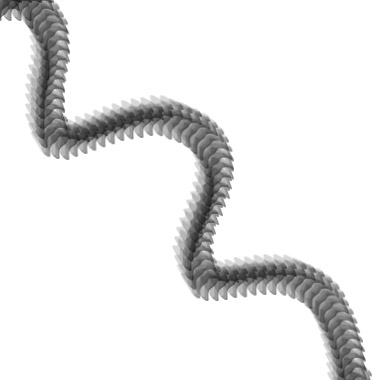
3. Apply all these blending options to the brush spiral layer:
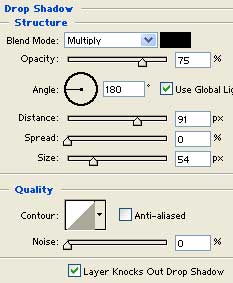
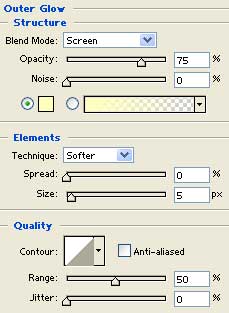
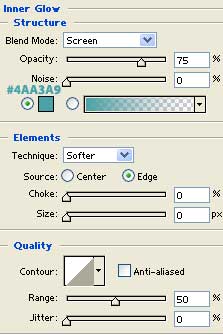
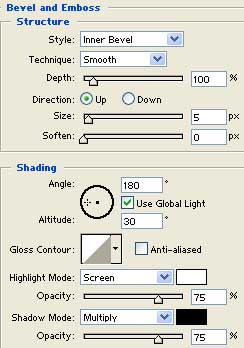
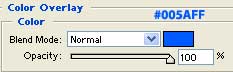
There you go your done. Here is my finished work:
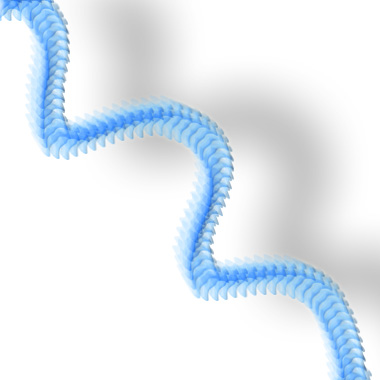
I also made a desktop background using the same design found here in this tutorial. It looks great on my new LCD monitor.
