1. First off all open a new document here I have used document size=400x400pixel
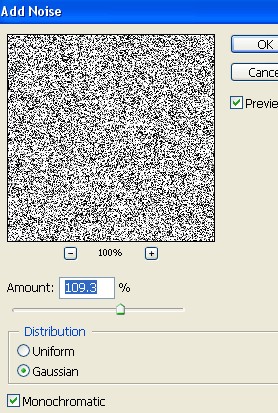
2. Here Go to Filter > Noise > Add Noise > and apply the following settings
3. Now go to Filter > Sketch > Plaster and apply the following settings
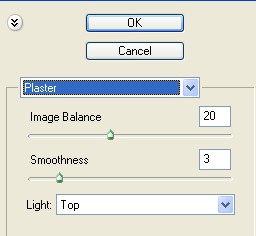
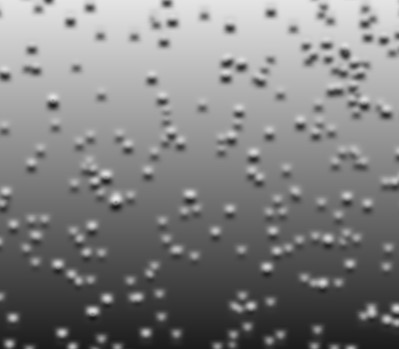
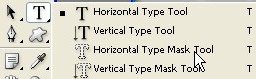
4. Select the Horizontal Type Mask Tool from the Tool bar
5. Now Type anything words after that click on this layer


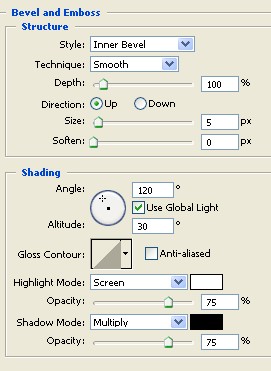
6. Now here Press Ctrl+J . For copy paste after that go to Layer > Layer style > Bevel and Emboss and apply the following settings

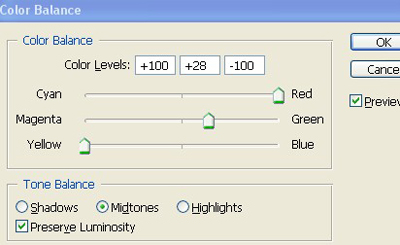
7. Press the Ctrl+B . for color balance and apply the following setting
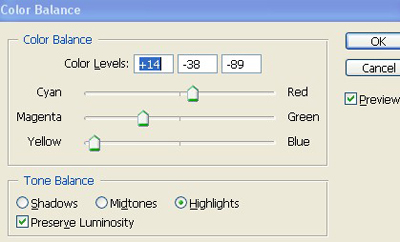
8. Now your Text has been completed .