


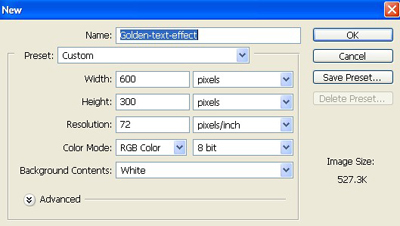
1. Take a new file of 600 pixels,300 pixels, of resolution 72 dpi in the RGB mode.
2. Take the text tool from the tool palette.
3. Type golden make the background black and the text yellow as shown below.

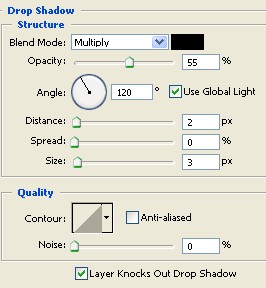
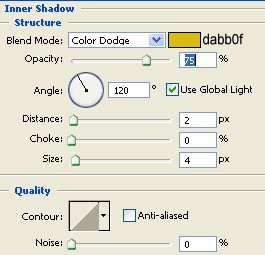
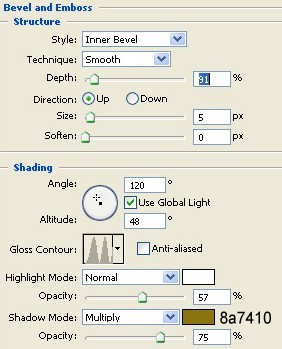
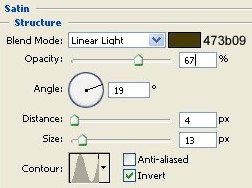
4. Go to Blending Options apply these settings to give it a real look.
5. Your final image will be as attractive as mine as showing below.

Click to enlarge
