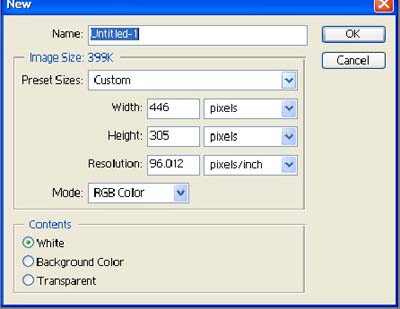
1. Open a new file width-440/ Height-305 / Reso-96
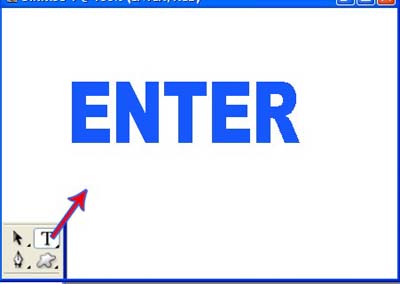
2. Use text tool in photoshop tool set and type Enter
3. Use Smudge tool as shown below[ Brush size-10 / Strength- 40% ]
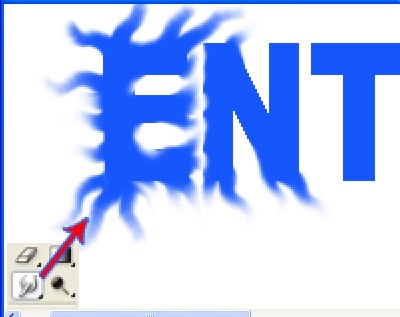
4. After Smudge tool your image will look like this.

5. Select the blending option as shown below.
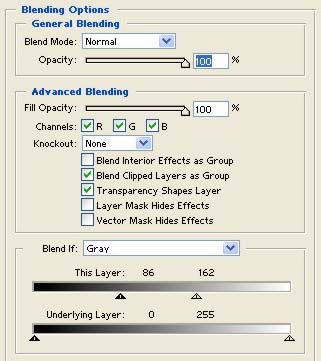
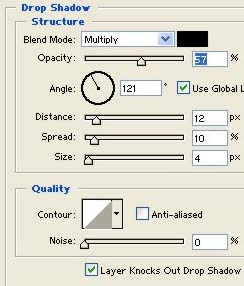
6. Use Drop shadow with [ opacity- 57/ Distance -12 / Spread 10 / size- 4 ]. Niche dekhen
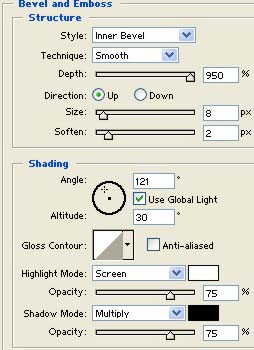
7. Apply Bevel and Emboss as [ Depth-950 / size-8 / soft-2 and click ok when done.
8.That's your wavy text Effect.