

Step 1:
Open a new 200x200px document
Step 2:
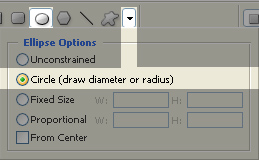
Use the ellispse tool and make a perfect circle.
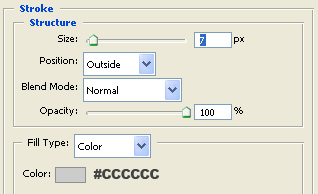
Add 7px stroke to this shape.
Step 3:
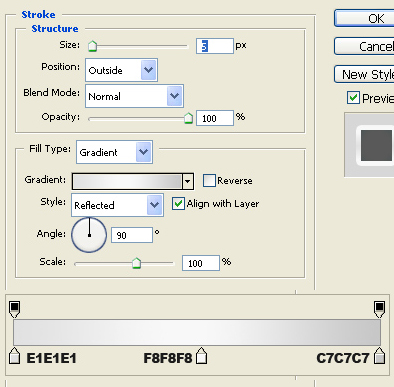
Duplicate this shape and add to the duplicated shape some effects:
Step 4:
Duplicate this circle again and make it 90% of the original size.
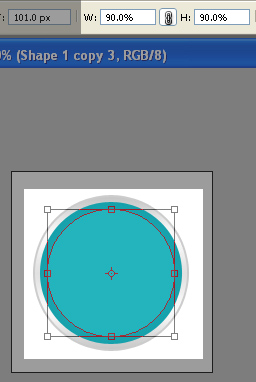
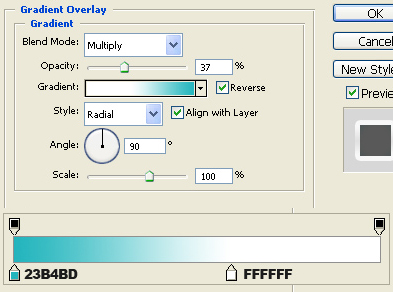
And add to this shape gradient :
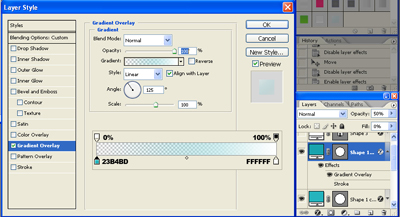
Click to enlarge
Step 5:
Draw a home icon with pentool and add this shape outer glow:
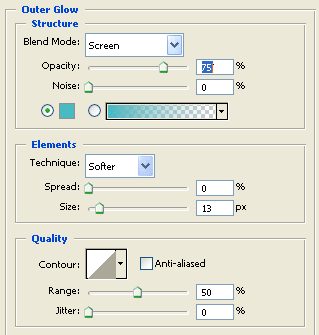
That's it. here is my result:

Have a nice day!
