


Step 1:
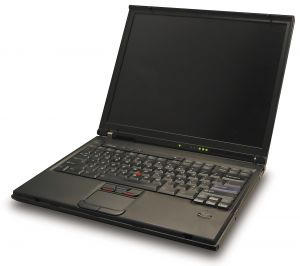
Look for a good laptop image.. here is what I found from sxc.hu:
Step 2:
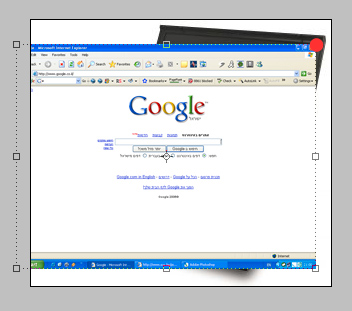
Press print screen on your website and add it to photoshop. then go to image - image size and change the width to the width of the laptop image. Now add the print screen image to the laptop image document.
Step 3:
Drag the right-bottom corner of the print screen image to the right-bottom corner of the laptop.
Step 4:
Go to: edit-transform-distort and then just drag the print screen image corners [left bottom to left-bottom , right-top to right top etc.]
Step 5:
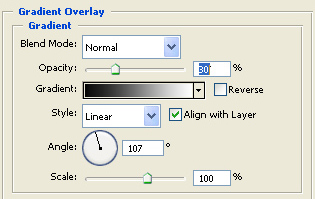
To make it feel like a real image - you need to add to the print screen image gradient with 30% opacity with the black,white gradient.
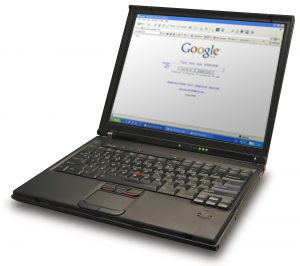
That's it. here is my result:
Have a nice day!
