Want to make good present for you girlfriend? Have problems with money? Don't be sad!
Just send a lovely image. For example image of heart. With this Photoshop tutorial you can make it yourself.
Let's begin :)
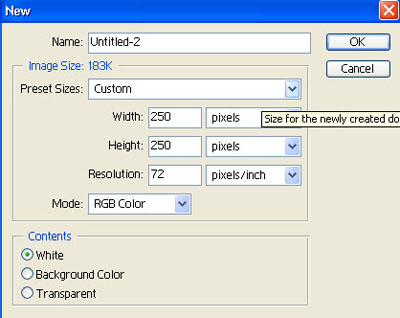
Create a new document:
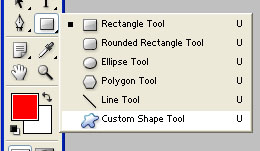
Select "Custom Shape Tool":
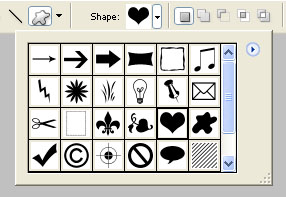
Select Heart:
Make heart:
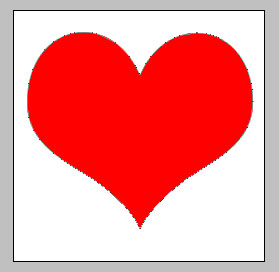
and make copy of layer
Heart drawing is much simpler than you think! Make sure of it!
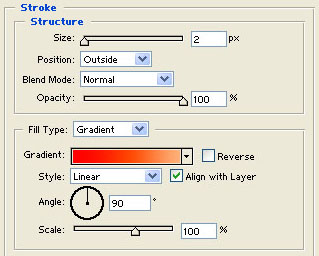
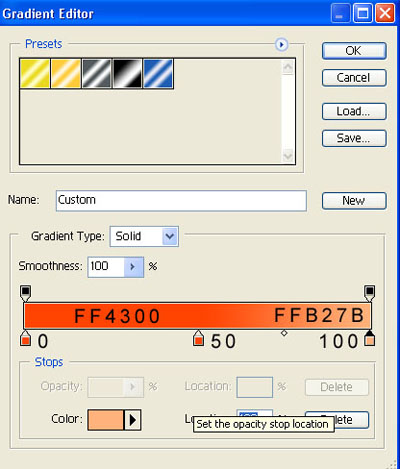
Select "Layer Style" and change parameters of "Stroke":
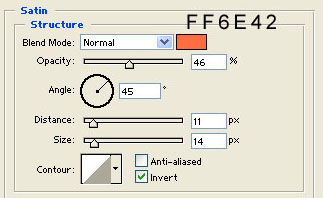
Then change parameters of "Satin":
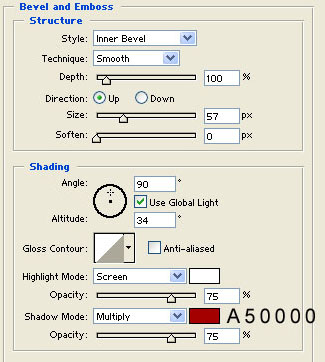
Then change parameters of "Bevel and Emboss":
Select layer with second heart and resize heart:
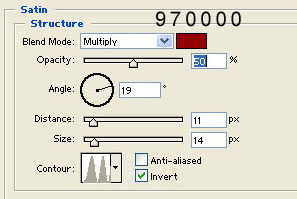
Select "Layer Style" and change parameters of "Satin":
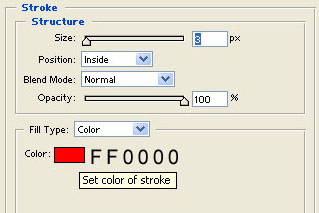
Then change parameters of "Stroke":
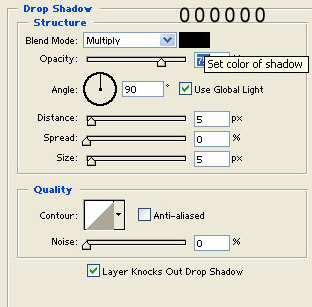
Then change parameters of "Drop Shadow":
Select "Type Tool" and type yours text:

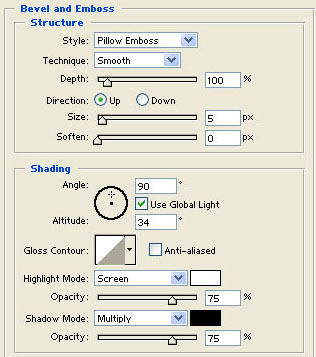
Select "Layer Style" and change parameters of "Bevel and Emboss":
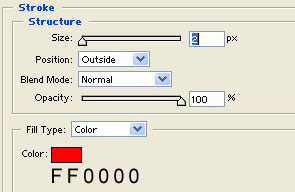
Then change parameters of "Stroke":
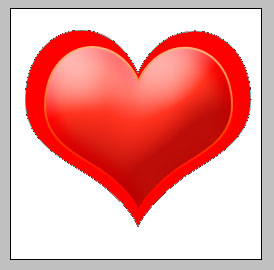
You heart must look something like shown on image:

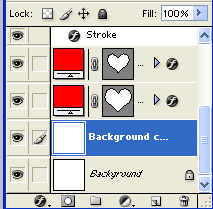
Copy background layer and delete original:
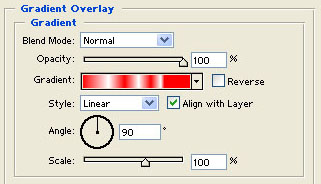
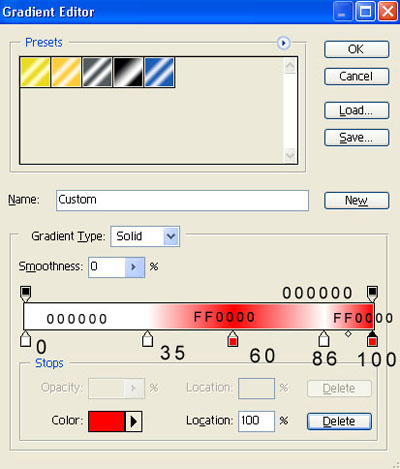
Select "Layer Style" and change parameters of "Gradient Overlay":
That's all: