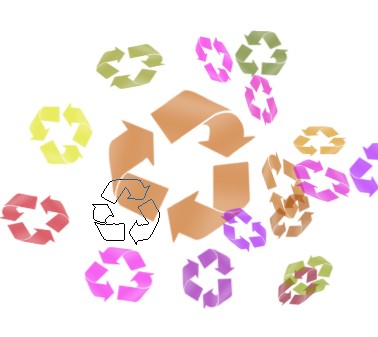
1. First, Take any new image as you like. you may choose any shape or object of any kind.

2. Now select the Magic wand tool as shown below

3. Select this shape with Magic wand tool as shown below

4. Now select the Linear Gradient tool.

5. Fill the color with the help of the Magic wand tool which is appearing below
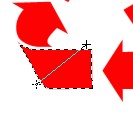

6. Here again select this shape with Magic wand tool.


7. Fill the color with Gradient tool
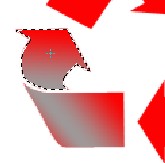
8.Repeat above step to complete this image .

9. Now create a new document with Transparent for new document press the Ctrl+N
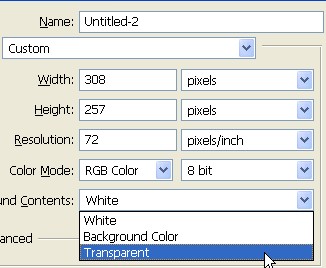
10. Drag the shape and put on transparent document or press the Ctrl+C on the original shape after that Press the Ctrl+V on transparent document, as shown below

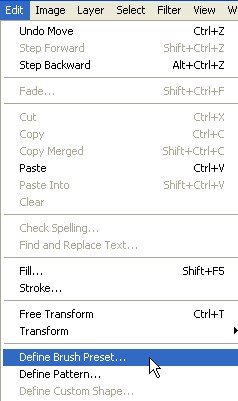
11. Now go to Edit>Define Brush Preset
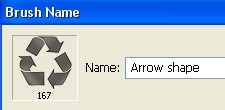
12. Here you can type any brush name
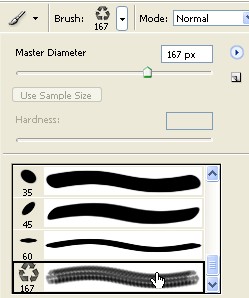
13. Now select the Bush tool and choose the Arrow shape. as shown below
14. Now click on Brush option bar as shown below
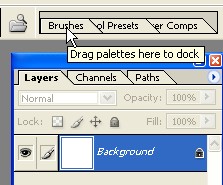
15. Select the Brush Presets and use the settings below
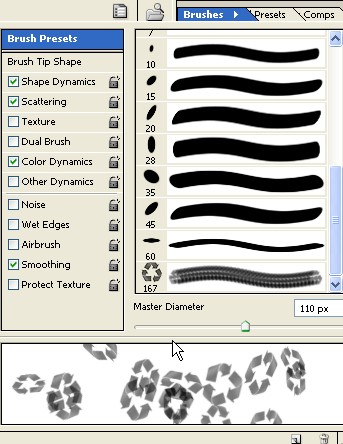
16. Now select the Shape Dynamics and use the followings settings as shown below
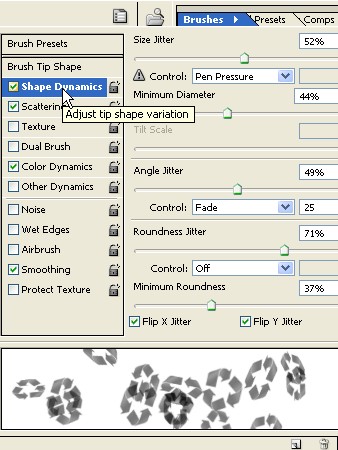
17. Now select the Scattering and use the following settings.
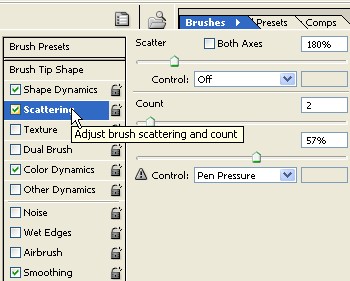
18. Now select the Color Dynamics and use the following settings now click ok
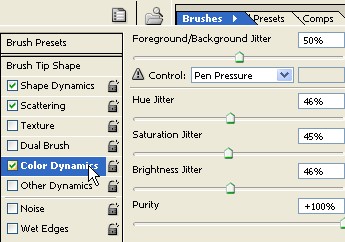
19. Create a new document with white background now you can use this Brush

20. Final Image.