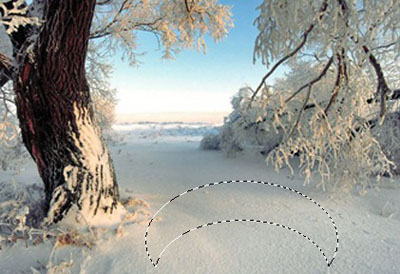
1. Firstly take a new image and create a new shape help by the Lasso tool.
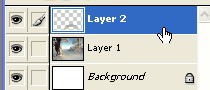
2. Press Ctrl+J after that double click on this layer for Layer style
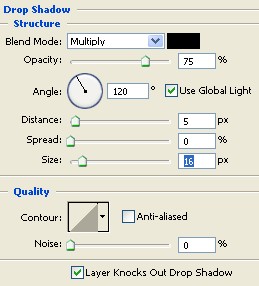
3. Now select the Drop Shadow from the Layer style and use the following settings do not click ok
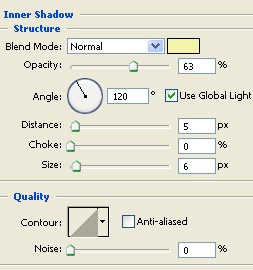
4. Now select the Inner Shadow from the Layer style and use the following settings now click OK
5. Type any words with Text tool
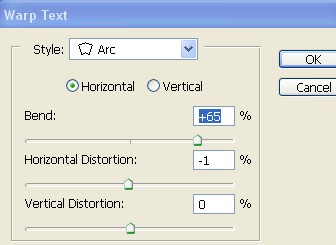
6. Go to Layer>Type>Warp Text and use the settings below
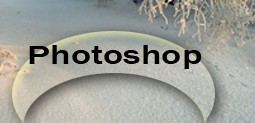
7. Your image should look like this

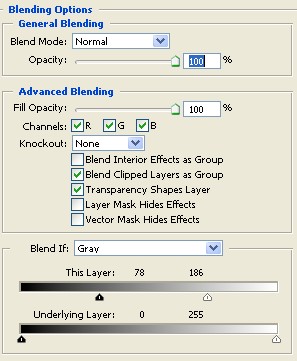
8. Double click on this Text layer and select the Blending Options from the Layer style and use the settings below
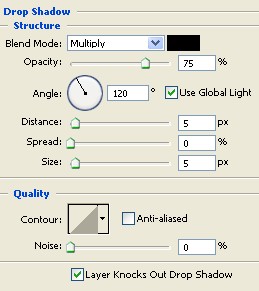
9. Now select the Drop Shadow from the layer style and use settings below
10. Your image has been completed . As shown below