Start by typing "Ice cream" with a bold font.

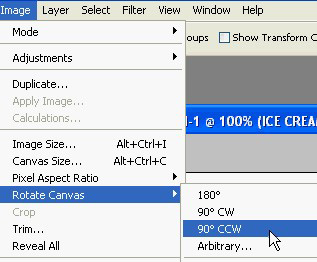
From image menu select rotate canvas 90° CCW.
Ctrl+Click the text layer thumbnail to get the selection.
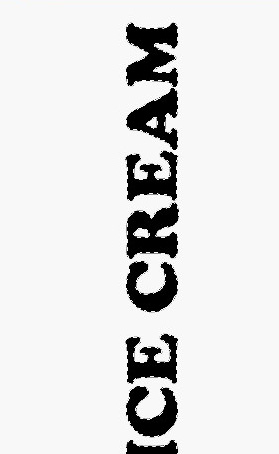
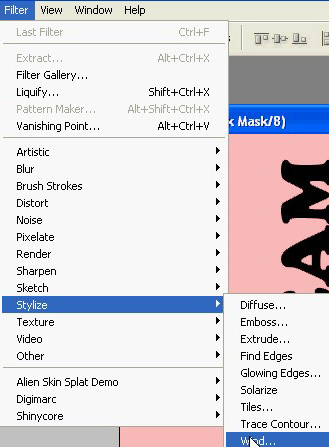
Press Q to enable quick masking. From filter menu select stylize>>wind.
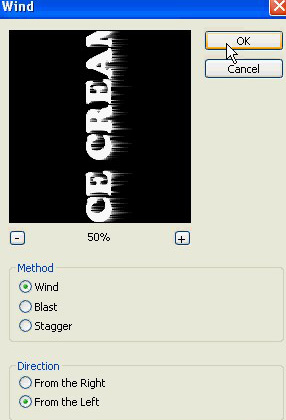
Apply settings as shown.
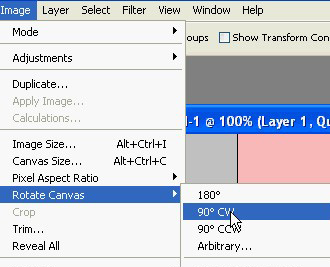
From image menu select rotate canvas>>90°CW.
Press Q to disable quick masking.
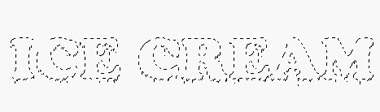
Create a new layer and fill the selection with a color of your choice.

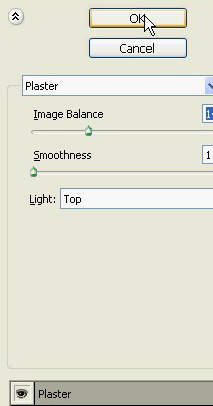
Ctrl+Click the layer thumbnail to get the selection. Press Q to enable quick masking. From filter menu select sketch>>plaster.

Apply settings as shown.

Create a new layer. Fill with color of your choice. Hide the initial text layer.

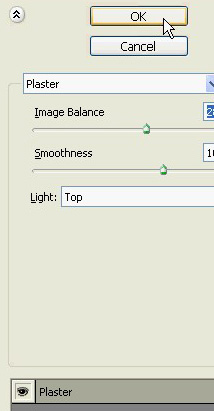
Ctrl+Click the layer thumbnail to get the selection. Press Q to enable quick masking. From filter menu select sketch>>plaster. Apply settings as shown.
Press Q to disable quick mask. Fill the selection with the similar color in a new layer.

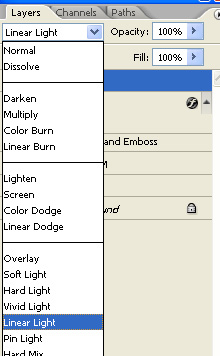
Change the layer mode to linear light.

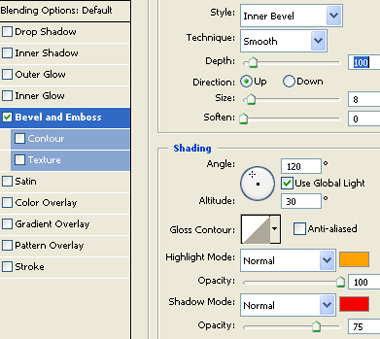
Though we are through with the text effect. If you still want to enhance apply some bevel &emboss layer style using settings below.

Apply a gradient to the background.