1. Create a new document in any size. Mine will be 400 x 100.
2. Using the Type tool, type out your text in a light grey color. Cartoony fonts work best for this tutorial.

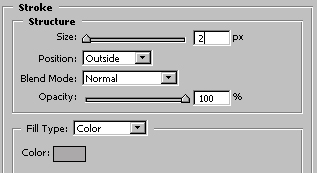
3. Go to Layer >> Layer Style >> Stroke with these settings :

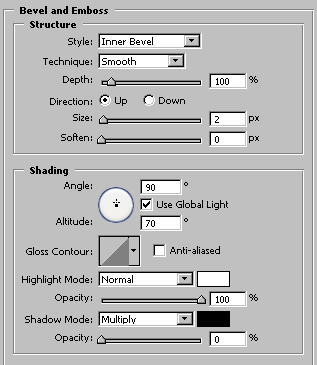
4. Go to Layer >> Layer Style >> Bevel and Emboss with these settings :
And your finished!
End Image: