This creates an really cool plastic text effect with just a few steps.
Step 1

Create a new image and fill the background with either a solid white, or a light gradient like mine.
Step 2
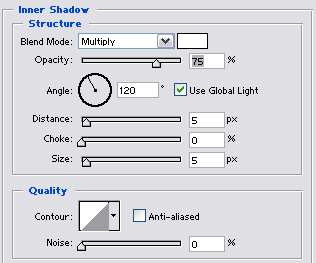
Double click the layer, check inner shadow and use the above settings.
Step 3 (optional)
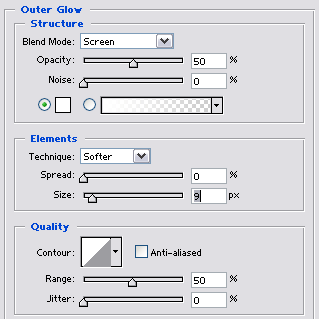
Check outer glow and use the above settings.
Step 4
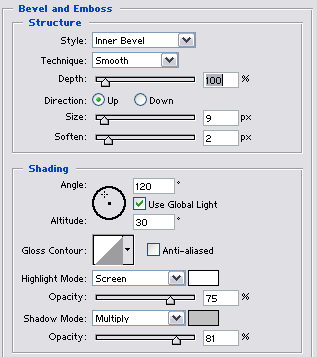
Check bevel and emboss and use the above settings.
Step 5
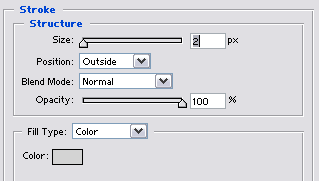
Lastly, check stroke and use the above settings.
Final Product