

1. Open a new document 400x120 pixels.
2. Select a gradient tool and set the foreground color:FFD200 and background:FF9000
And make the gradient from top to bottom!

3. Now write some text !

4. And set these following blending options:
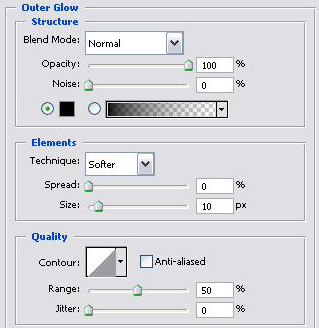
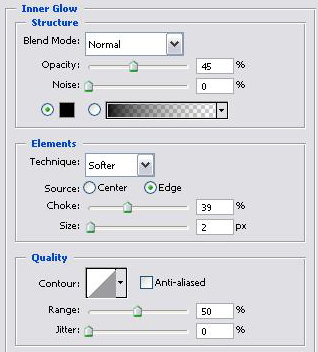
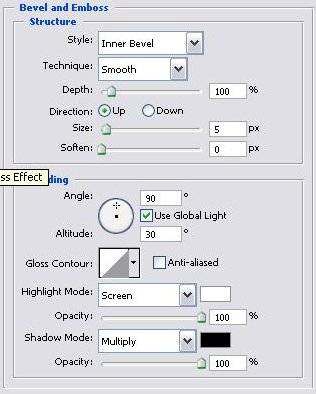
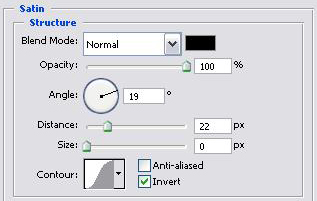
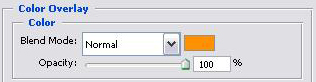
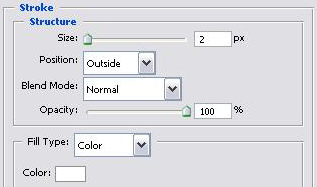
5. Finally just press "ok" and your text should look like this:

I hope you like the tutorial.
