Open a new document in photoshop
Size should be 400 x 400 pixels
Color: white
Type some random text

Now add the following layer styles
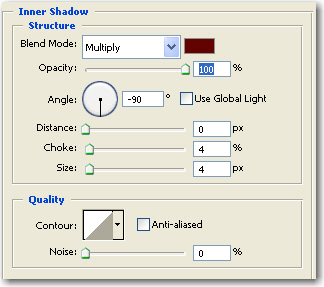
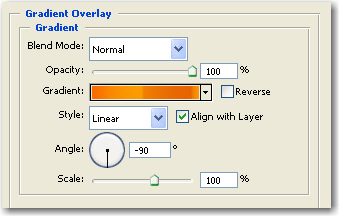
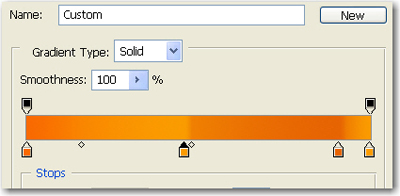
This is the result

Be sure you have the text layer selected. then go to Select > Load selection (When a new window appear press OK )

Go to Select > Modify > Expand and use the following settings
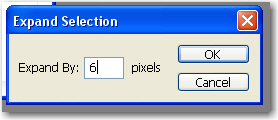
This is the result

Now select the background layer, then press Ctrl+Shift+Alt+N
Then with this new layer selected go to Edit > Fill and use the following settings
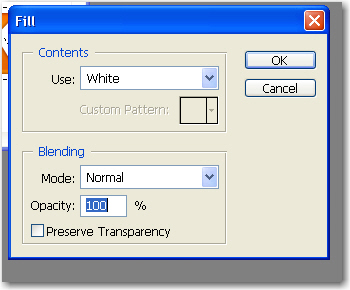
Press on Ctrl+D to deselect
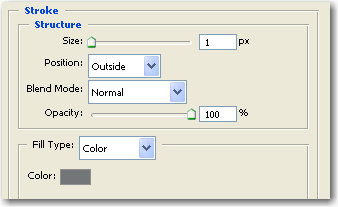
Then add the following layer styles on this button
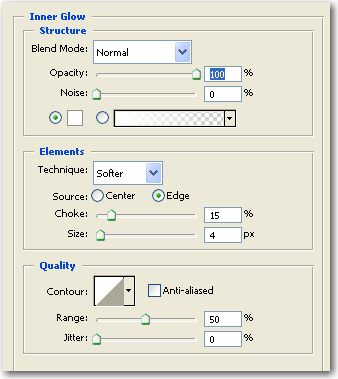
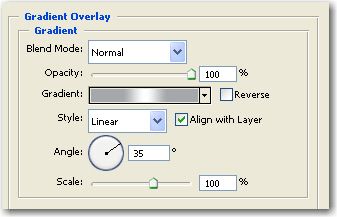
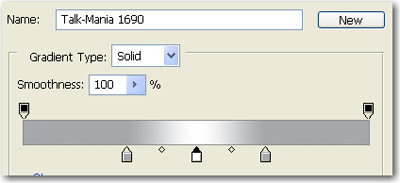
This is the result