

I will make this simple tutorial, because i have received 3 or 4 requests I will show you how to create simple sketches for graphic tablets use. if you want to buy a graphic tablet i can recommend you wacom tablets.
Open the following image in photoshop.

Then go to Image > Adjustments > Desaturate ( or press Shift+Ctrl+U ) This is the result:

Duplicate this layer ( press Ctrl+J ) , then go to Image > Adjustments > Invert ( or press Ctrl+I )
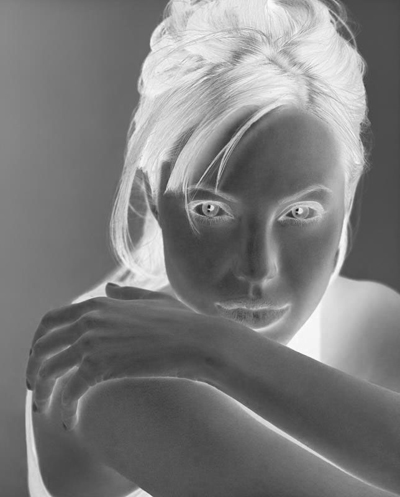
Then Change the Blending mode to Color Dodge
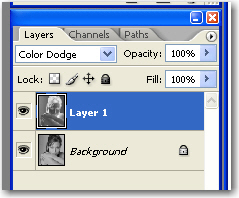
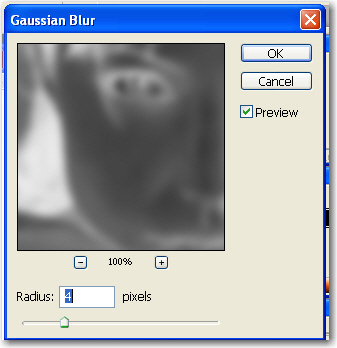
You will see a white image. this is the right way. don't be afraid, we will fix it in the next step Now go to Filter > Blur > Gaussian blur and use the following settings
After you will press the Ok button you will have the following image
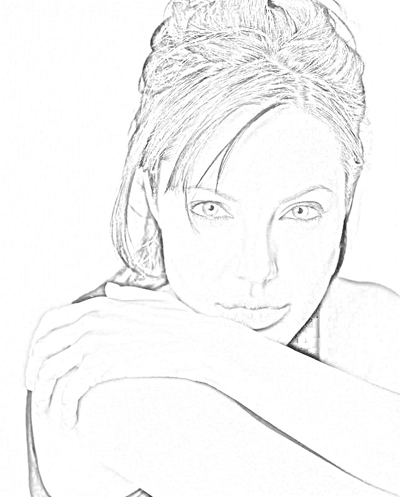
I hope you will find useful this tutorial. i am using almost each day for my tablet designs.
