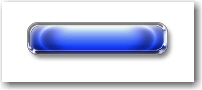
There are different methods for creating buttons. i will show you how to make a nice looking button only with a few layer styles
So let's start.
Open a new document. 400 X 400 px will be good ,( this is not important )
Then select Rounded Rectangle Tool and draw a simple button.
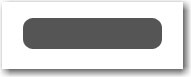
Now add the following layer styles:
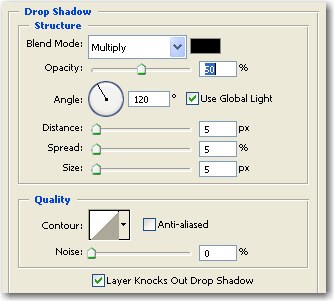
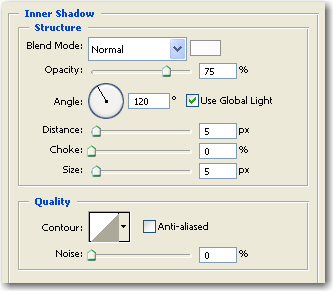
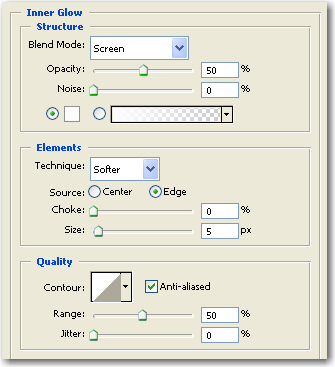
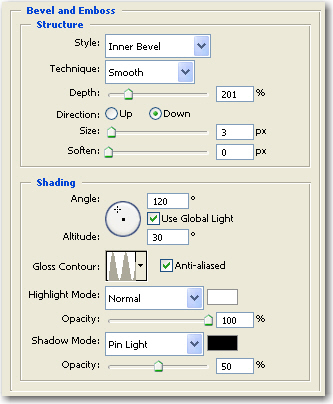
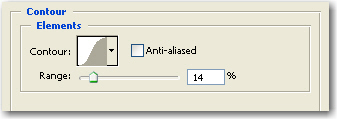
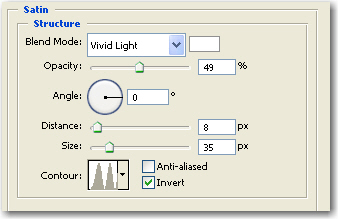
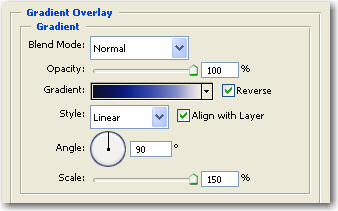
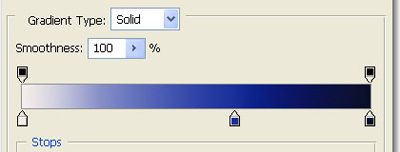
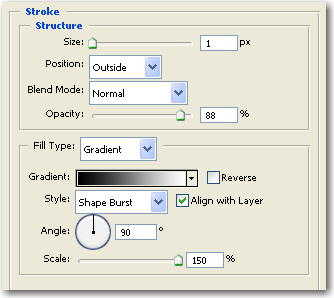
And this is the final button. You can add text alone if you want, or you can leave the button empty so you can confuse your visitors from your own website