

Weve all seen the somewhat mysterious settings menu, found in the right-click menu for the flash 6 player. Wouldnt it be nice, if you could force one of the system settings tabs open on a user? Well, you can, Macromedia havent told us about it in the official Flash MX Help included in the bundle, but its hiding in the player and it works like a charm...
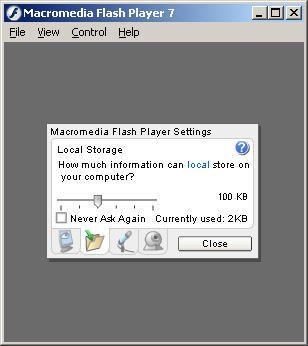
System.showSettings() is an actionscript method which pops open the Settings menu as and when you call it. It accepts an optional argument which is used to specify which one of the four settings tabs you want to display:
- 0 - Displays the Privacy Tab
- 1 - Displays the Local Storage Tab
- 2 - Displays the Microphone Tab
- 3 - Displays the Camera tab
If no argument is passed to the method, then the default tab is displayed, the default tab is the tab which was last displayed:
| System.showSettings(); |
Or with an argument:
| //open the Local Storage Tab
System.showSettings(1); |
You could use this method to ask users of your site to grant you permission to access their Microphone for example or to ask users of your site to grant you permission to access their Camera.
Macromedia have not yet added this method to the Actionscript Dictionary Errata
