

Step 1
Create a new document and place some text on the stage.

Step 2
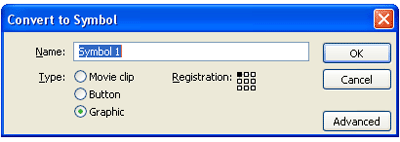
Press F8 and select Convert Symbol to Grpahic.
Step 3
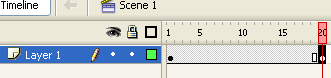
Now goto your timeline and select the square at 20 and press F6. You should now have a gray bar with a black circle there like in my picture.
Step 4
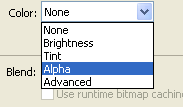
While having that bar selected, select your text by pressing on it(you must press again even though it looks as if it's selected). Under color, select alpha.
Step 5
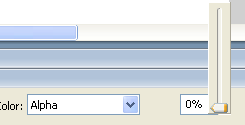
Reduce alpha to 0%. Your text should now be completely faded away.
Step 6
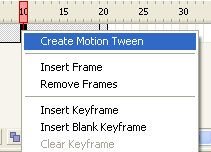
Right click anywhere between frames 1 through 20 and select "Creat Motion Tween". Press CTRL+Enter to see your work. You're done.
Final Result:
