Start by typing your text using dark red color.

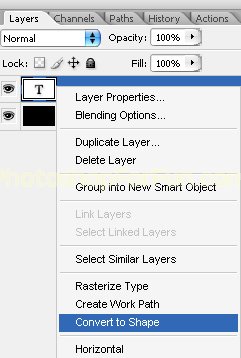
Right click the layer in layer palette and select "Convert to shape".
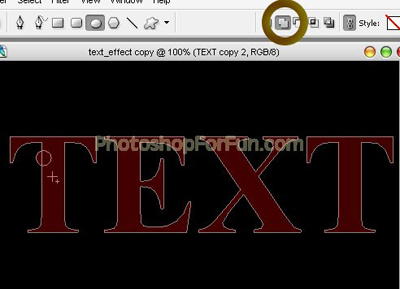
Enable add to shape area form the top bar. Create a circle using elliptical shape tool.
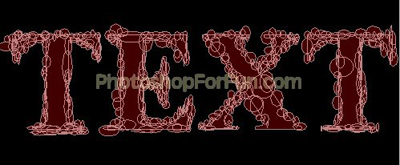
Similarly create more circle and ellipses to create distorted edge.
Double click the layer to open layer style window. Apply layer style with the settings shown.
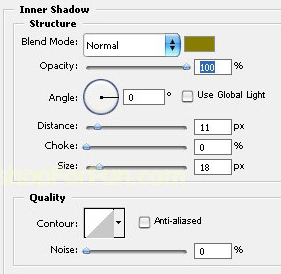
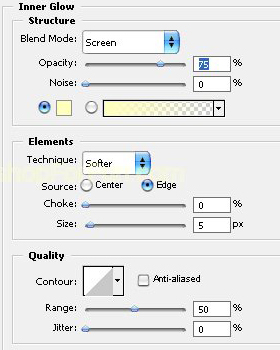
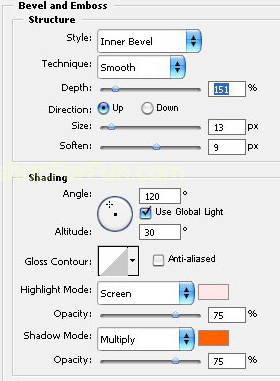
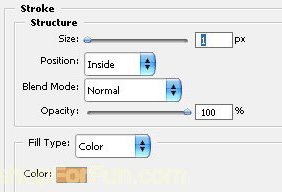
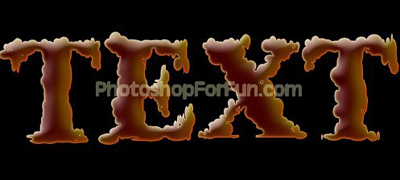
Ctrl+Click the layer thumbnail to get the selection. From select menu apply modify>>contract. Contract the selection by 5 pixels. Create a new layer and fill it with white color.

Apply same layer style we used before. Remove inner shadow layer style.

Similarly create another white area.

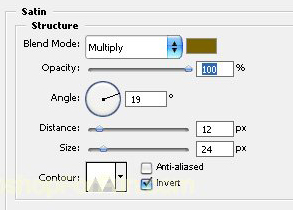
Apply same layer style. Double click the layer to open layer style window. Apply satin layer style with the settings shown. Uncheck the stroke layer style.

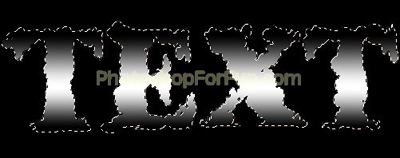
Ctrl+Click original layer thumbnail to get the selection. Create a new layer and apply black to white to black gradient in linear mode.
Change the layer mode to "Soft Light".
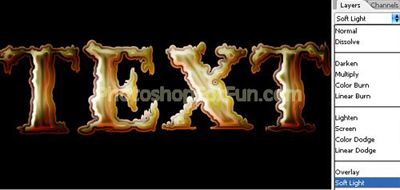
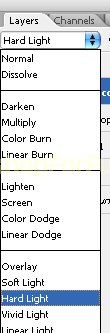
Select and merge all the layers. Duplicate the layer and change the layer mode to "Hard Light".