Her

Home Photoshop Tutorials Special Effects Render Pixel Effect

Render Pixel Effect

Author: Webzo Studio Author's URL: http://www.webzo.org/ More by this author

1. Open up the pic you wish to use the effect on.
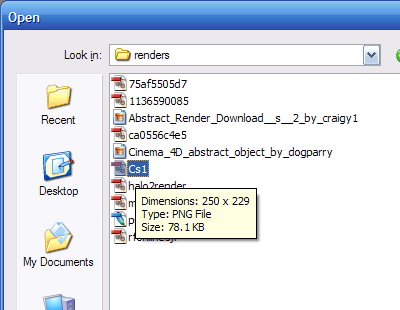
image 1

2. Next go to the layers tab and duplicate the image layer. To do this right click>duplicate layer.
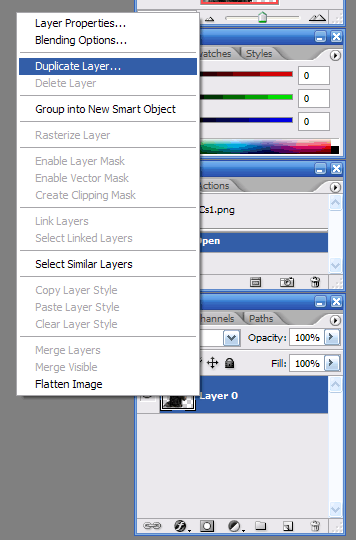
image 2

3. Select the first layer and go to Filter>Blur>Gaussian Blur.
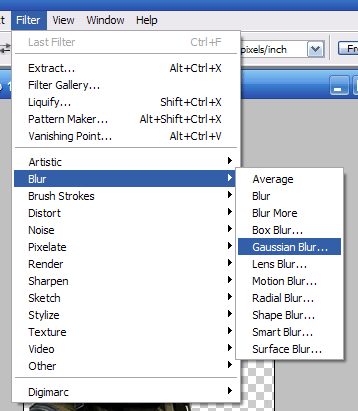
image 3

4. In Gaussian Blur apply the blur at 6.0.
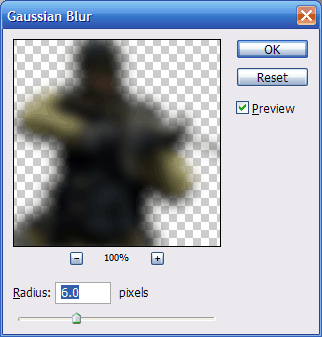
image 4

5. Go to Filter>Pixelate>Mosaic Set cell size to 5.
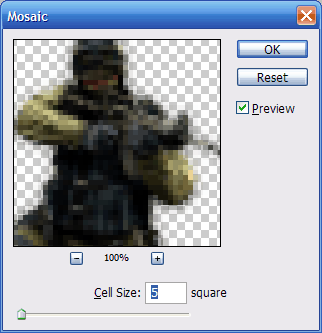
image 5

6. Now just add to a sig or something and get a really cool effect.

Render Pixel Effect


About the Author:

Webzo Studio is a web design company located in the United States. Webzo Studio was founded in August 2005. We are a small team of designers that just love our job. The love of doing what we do is what makes us not doing our job as a job, but as an enjoyment.
read more about this author
