

I will show you today how to create simple logos with the help of your fonts
Most of good fonts are using simple shapes which you already have in your system but you don't know how to use them.
I will show you in this tutorial
So please start your photoshop and open a new document.( 400 x 400 pixels ) with a white background.
Select the type tool. Chose the Wingdings font:

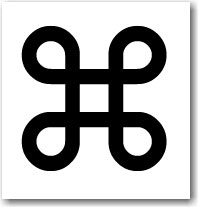
Now type the following letter: " z " ( not big z )
You will have something like this:
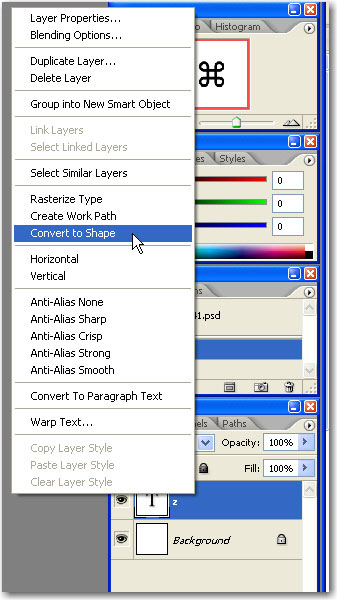
Next step is to convert type to shape.
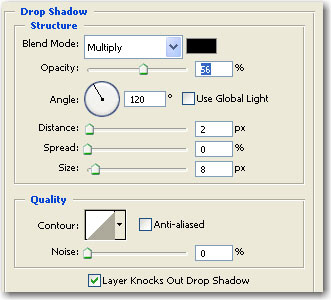
After that we will add a layer style:
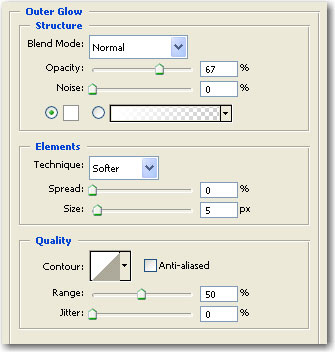
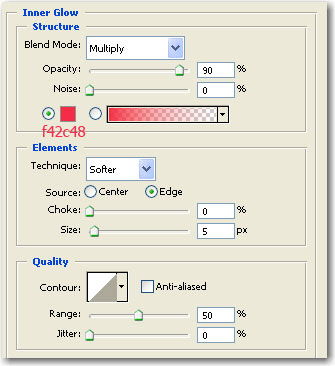
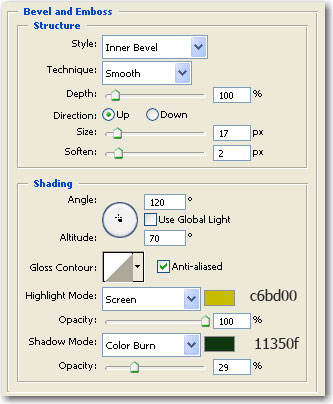
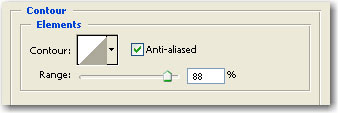
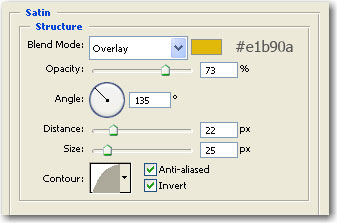
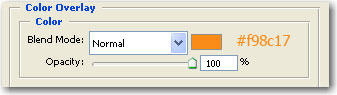
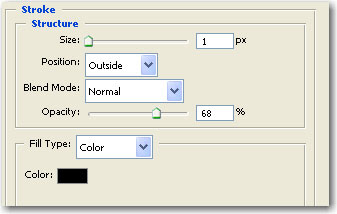
Now Go to Edit > Transform > Distort and move the left corner like in the following image
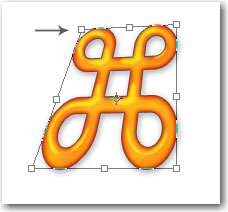
Then move the left corner like in the following image:
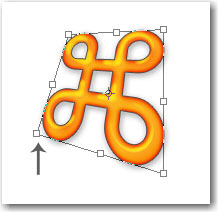
Next you have to press enter
Duplicate this layer ( press Ctrl+J )
With your arrow key place the new layer on the left side

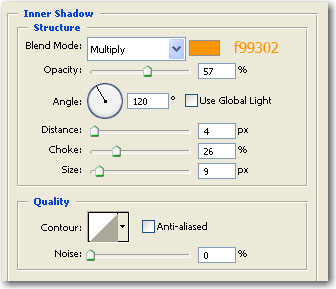
Now return to the old layer ( Z layer ) and add the following layer style:
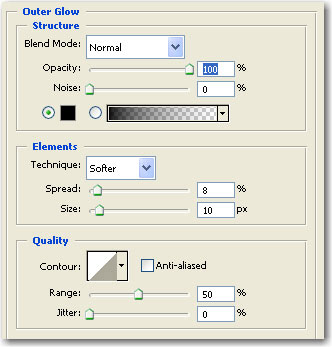
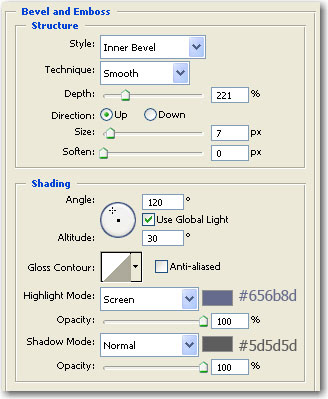
This is my final result:

I hope you find this tutorial useful.
