Lets start creating a New Image RGB Mode, white background. This is 300 * 300 px.
Take the Text tool and write your text. This example is Time New Roman Bold, 165 pt. blue color (0099FF), aa crisp.

Layer Styles
The rest we will do it with Layer Styles. Layer > Layer Styles > Drop Shadow, Bevel and Emboss y Stroke.
Use the parameters of the three next images.
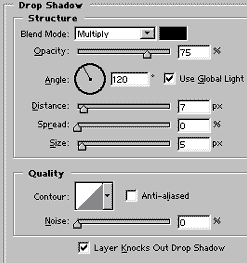
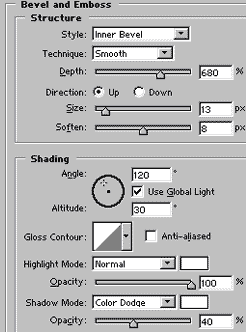
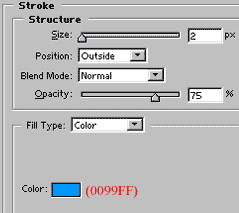
This is the final result. I hope you like it.