

With motion guides you can easy add movement to your movies, instead of making an animation frame by frame, you can use motion guides that are much easier.
Create a new MC and draw a circle, this is the MC we are going to animate.
Drag the MC to the stage, select the frame where the MC is and press this button:

Flash is going to create this:
The layer on the top is the Guide; it's where you need to draw the path to animate the MC.
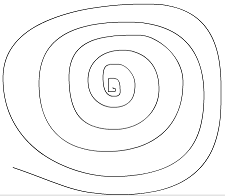
Select the Line Tool and draw the path you want you MC to move through, I did this one:
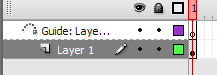
Now arrange your frames like this:

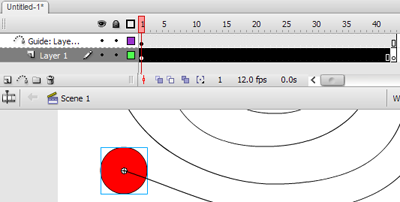
On the first frame of the Layer 1, drag your MC to the beginning of its path.
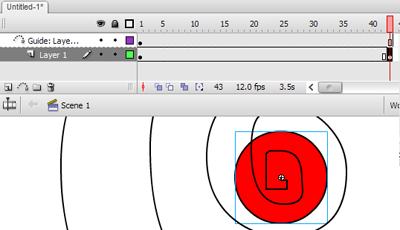
And on the last frame of the Layer 1 put another instance of your MC in the end of your path.
Right click the first frames of the Layer 1 and select Create Motion Tween.
Done! If you want the speed of the animation to be slower increase the amount of frames used or if you want it faster decrease the number of frames. For animation with movements, remember to use Motion Guides.

