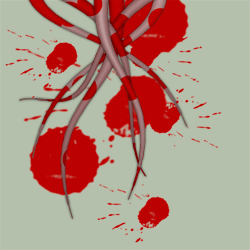
Tentacles can refer to the elongated flexible organs that are present in some animals, especially invertebrates, and sometimes to the hairs of the leaves of some insectivorous plants. Usually, they are used for feeding, feeling and grasping. Anatomically, they work like other muscular hydrostats.
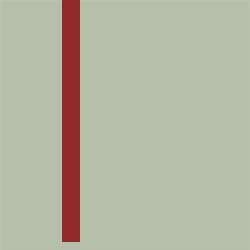
OK, now lets begin. Open Photoshop and Create a new document. Dimensions: 260x260pixels. Transparent. First choose a color for your background, anything you like it's OK. Now create a new Layer, take the Rectangular Marquee Tool and draw a vertical rectangle, like in the picture below:
Now transform it like you see in the picture below. Go Edit>Transform>Distort, hold down Shift+Alt and position the bottom the corners like in the picture:
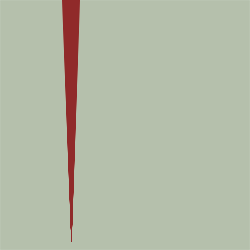
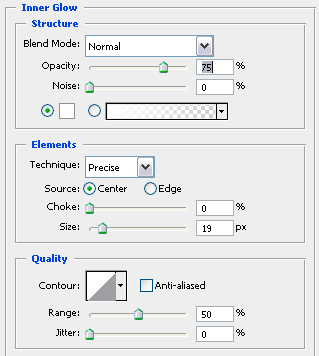
Now go Filter>Disport>Shear and create your own tentacle, play with the line. After your done with that, open the Blending Options for the tentacle you created and enter the values you see below:
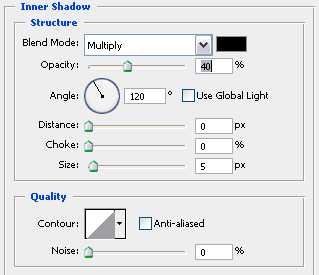
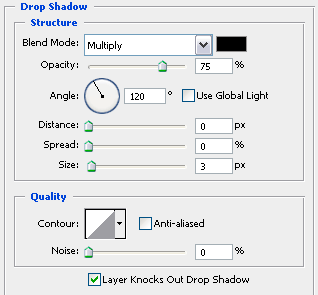
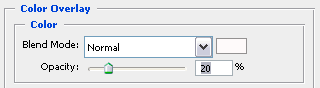
When you are done, you should have something like this:
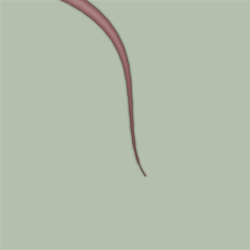
From here own if you like you can go own and create new canticles or just duplicate the one you have and you should end up with something that resembles this: