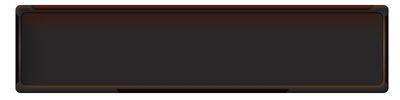
1. Open ImageReady and create a new document 800 x 200. Select your "Rounded Marquee" tool and draw a box that looks similar to this and center it.
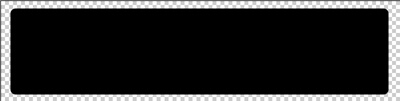
Add a bevel, gradient, and stroke
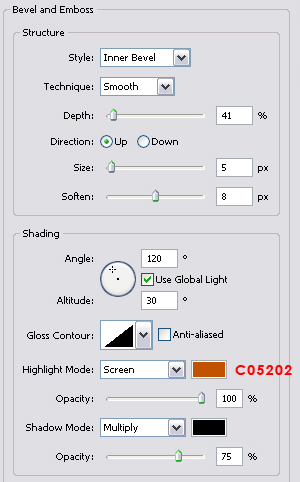
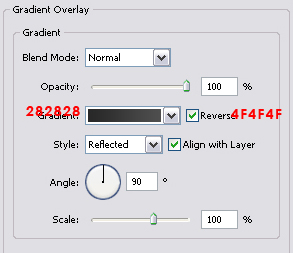
Note the gradient is reversed!
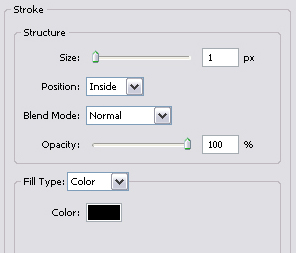
Grab your rounded marquee tool once again and cut a chunk out of the center.Using your polygonal lasso tool, draw a shape similar to below and place it at the top of your box.

You should have something along the lines of this:
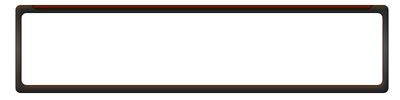
Beautiful I'd say.
2. Time to give it more of a PHP Nuke style. Time to grab your polygonal lasso and draw a shape that resembles the following:
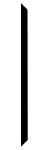
Place it along the left edge.
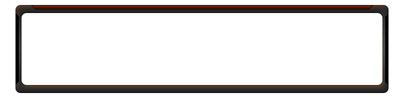
Duplicate the layer, go to Edit > Transform > Flip Horizontal. Place that on the right edge. Here's what the results so far should be:
3. Creating the orange lines on the side. (If you know how to or already have this pattern, please skip ahead.) Create a new document 3 x 3, take your pencil tool (1 pixel) and make 3 diagonal dots. It should look like this:

Go to Edit > Define Pattern > and name it as "Scanlines" Return to the document and select the layer we created in the last step (the side ways trapezoids.) Create a new layer. Select the outlines of the trapezoid layer (CTRL click the layer from the layer pallet.) You should now have an outline of that layer, go to Select> Modify > Contract, set it to "1". Your selection should now have shrunk a bit. Select the layer you just created. Go to Edit > Fill, select the pattern "Scanlines" and hit OK. You probably will see no change, but go to the layer settings and add the gradient overlay of this:
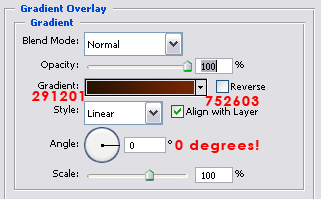
Duplicate this layer and flip it horizontal, drag it to the other side, flip it vertical, make sure you reverse the gradient! You should now have something like this:
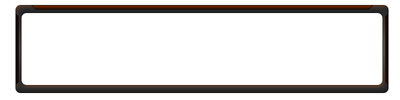
New layer. Add a line below the top bar.

Draw another trapezoid at the bottom in a new layer. Create a new layer add the scan lines like we did above and you should come out along the lines of this (remember to alter your gradient settings.):
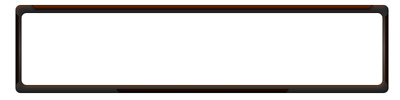
Create a new layer below them all, that is smaller than layer 1 (the whole border thing). Fill it with a color fill of: 292828. Duplicate that layer and fill it with that orange color (752603). Grab your rectangular marquee tool. Set your feather to 20 pixels and delete a chunk out of it. Animation:
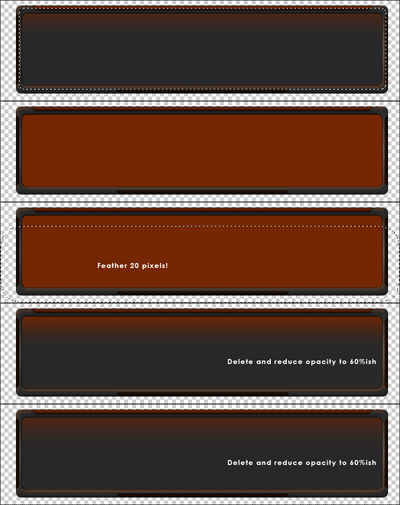
Create a new layer and use colons (black) and type them at the top. Here's my finished version: