1. Create an image, at least 200x200px. Using the 'elipse tool', create a circle (hold shift while making your ellipse to create a perfect circle).
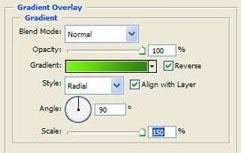
2. Use the following layer style to give your circle a spherical look (gradient uses colors #3e7647 and #76f007):
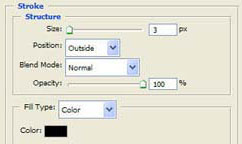
3. Give your circle a 3px black stroke:
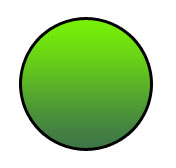
4. We should have this now:
5. Add the "face" by creating a new text layer, I used Verdana 72pt - use whatever fits your image best. Give it a black color. Type a colon and parentheses, like so - :).

6. With your text layer selected, choose 'edit-transform-rotate 90 degrees clockwise' from the top menu.
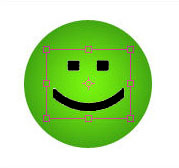
7. Now select both your shape layer and text layer (in the layers window, ctrl+click each layer to select them both) and from the top menu, choose 'layer-duplicate layers' and move your new copied layers to the right. With your new layers still selected, 'free transform' the layers while holding shift and alt, and drag one of the corner handles inward to make a smaller copy of your smiley. Select the smaller circle we just created and change it's stroke to 1px. Now we also have a 'mini smiley' for use on forums, icons, and other tight spaces where we need it.

8. It is very easy to change colors and text to make a variety of emoticons - here are 'sad', and 'bored'. Use your imagination to come up with the rest.