

Step 1:
Create a new document, any size.
Pick Type Tool
 , choose a cute font and type some text on document.

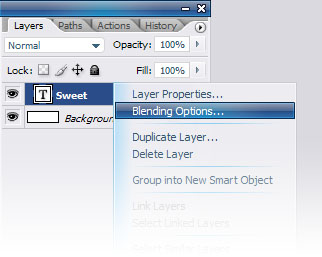
Right click on your text layer and choose Blending Option :
Set the information like tables below :
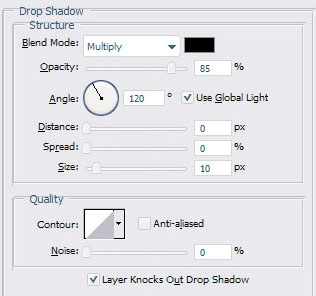
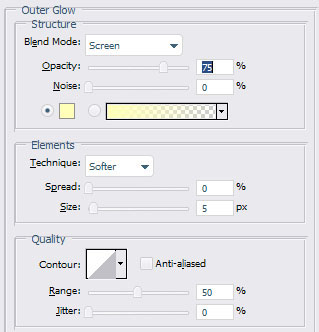
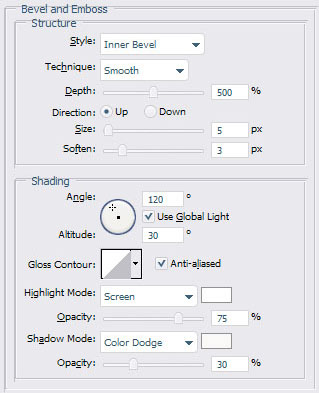
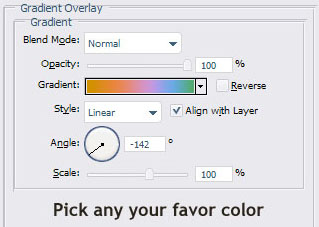
Here is result :

Step 2 :
Right click on your layer and choose "Duplicate Layer"
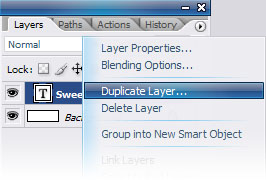
New layer will appear with "your text+copy"
Right click on "Duplicated layer" and choose Blending Option.
Right click again and choose Clear Layer Style
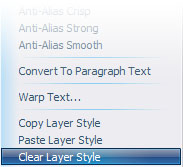
Right click again (^.^) and choose Rasterize Layer to make your text layer become normal layer:
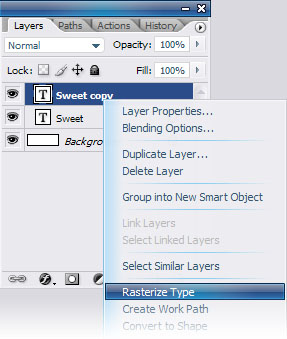
Go to menu Filter ~> Blur ~> Motion Blur
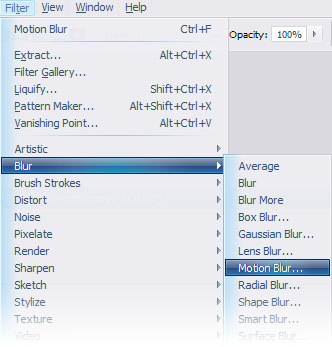
Set the information like this :
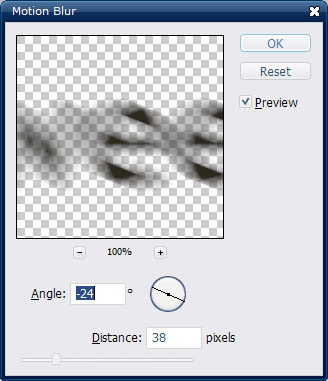
OK.
Step 3:
Right click on "Duplicated layer" and choose Blending Option.
Set the information :
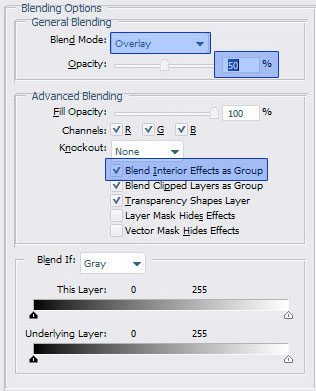
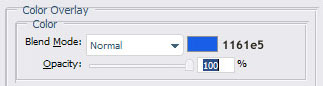
And here's my final result :

Good luck!
