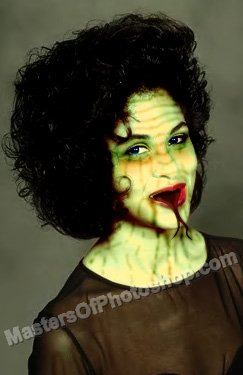
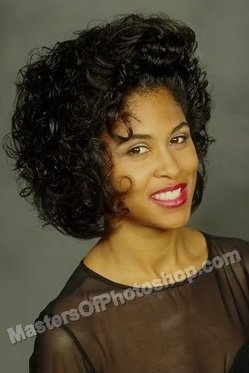
Start by opening an image of a girl face.
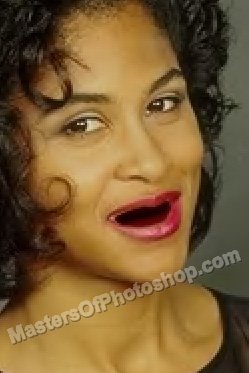
Select brush tool and apply it over the mouth. Use dark shades of red.
Using pen tool create tongue shape as shown.
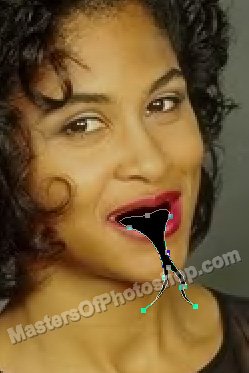
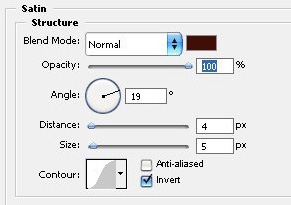
Double click the layer to open layer style window. Apply settings as shown.
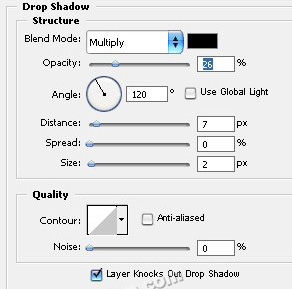
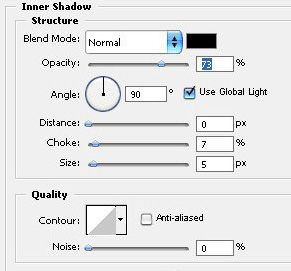
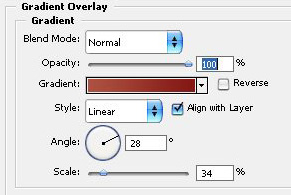
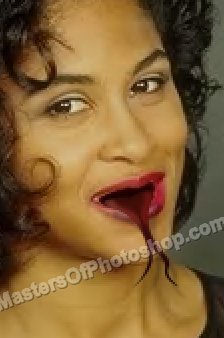
From select menu click "Color Range". Click over the click area using eyedropper tool.
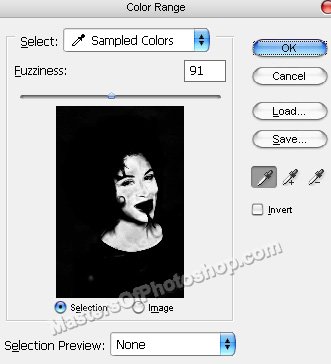
Press Ctrl+J to copy paste the selection in a new layer.
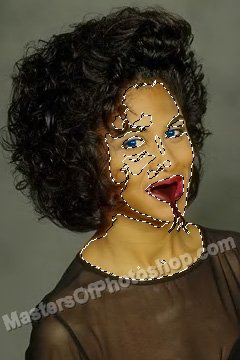
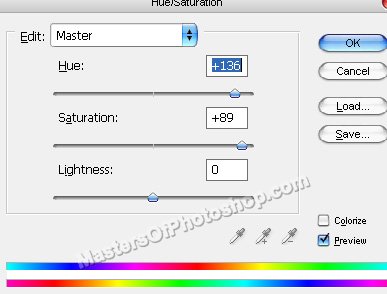
Press Ctrl+U to open hue/saturation window. Apply settings as shown.
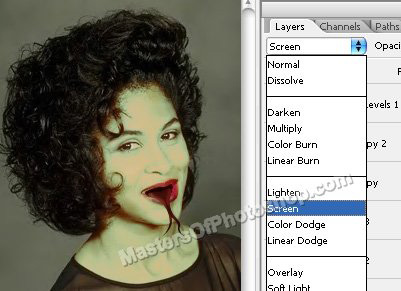
Change the layer mode to "screen" from top of the layer palette.
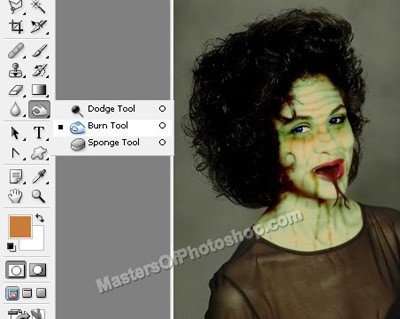
Select burn tool and apply as shown .
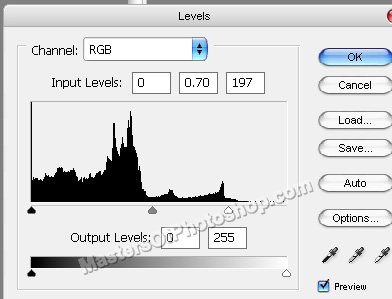
Select and merge all the layers. Press Ctrl+L to open level settings. Apply settings as shown.