Web site's logo and name are the most prominent and important elements in creating web site design. In this tutorial I'll show you how to create the logo for Web Design Library.
Open Photoshop and create the new document with 236x56 size. Set Foreground color #0a728e and Background color #0a728e. Draw a line top-down using Gradient tool, and you'll get the background like this:

Write 'Web Design Library' with the help of Type tool.
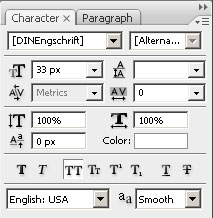
Use the following settings: (I've used DINEngschrift Alternate font.)

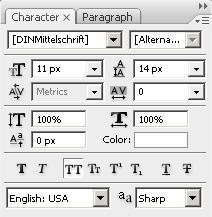
Now make one more inscription below 'DESIGNER'S ONE-STOP RESOURCE', with the following settings:

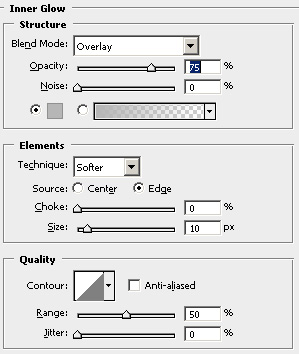
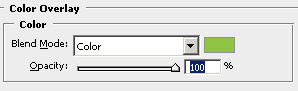
Now it remains to add Blending Options. Use these settings for 'Web Design Library' text:
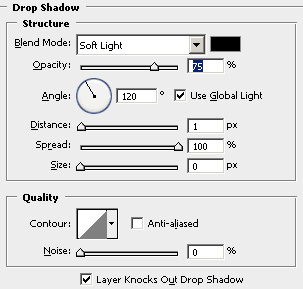
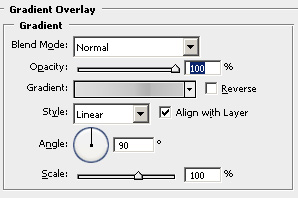

And now add Drop Shadow for 'DESIGNER'S ONE-STOP RESOURCE'.
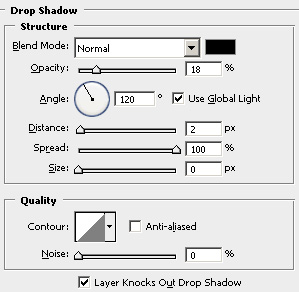
Here's what I got at the end:

And here's how it looks with logo on WebDesign.org web site.