1. Create a new document (400*120).
2. Fill the background with #FFFFFF using the paint bucket tool.
3. Add an inside 1px #000000 stroke on the background layer using the blending options (layer - layer style - blending options).
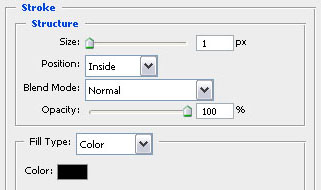
4. Now type out some text (Arial Black is a good font for this kind of effect) and adjust the blending options on this layer.
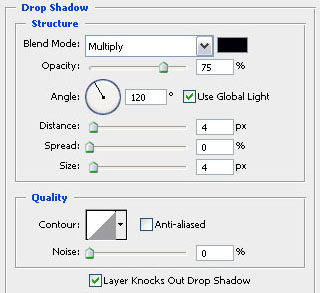
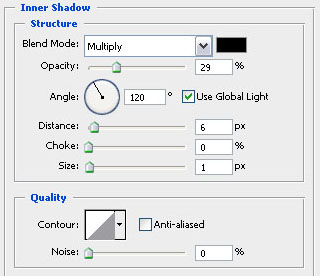
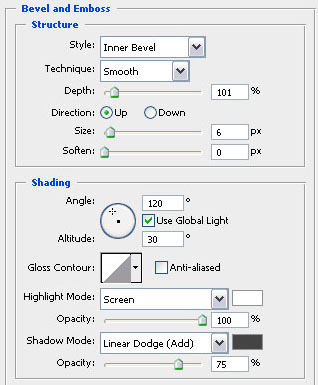
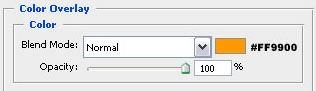
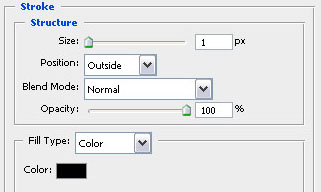
5. It should be finished and look like this!