Learn how to have control over your diagonal patterns by being able to have that diag. line space out as much as you would like.
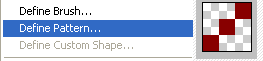
Open up a new image any size as long as it has the same hieght and width and is a odd number e.g. 3x3 , 5x5 , 7x7
Get the pencil tool and make a diagonal line like i did above.


Differnce?
Reminder-3x3 will have less of a space, 5x5 will have a bigger space , 7x7 will have even a bigger space and so on. So try it with differnt colors and so on. I also found that if you define it as a white diagonal line and then create a new layer on a banner and set the layer style to "overlay" it looks really cool just like below :)