1. Black background
Fill the background with black
2. Clouds
Filter/Render/Clouds
3. Difference Clouds
Filter/Render/Difference Clouds
4. Repeat step 3
Press Ctrl+F to repeat step 3
5. Duplicate Layer
Duplicate layer
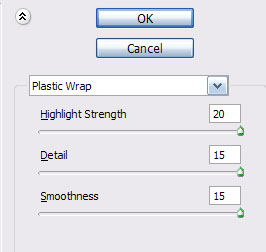
6. Plastic Wrap
Change top layer to screen and Filter/Artistic/Plastic Wrap...20/15/15
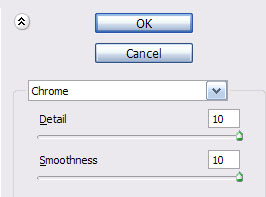
7. Chrome
Change back to bottom layer and Filter/Sketch/Chrome...10/10
8. Color Burn
Change top layer to Color Burn
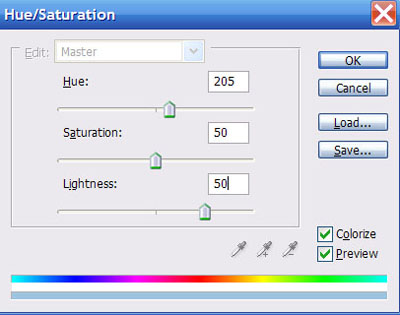
9. Hue/Saturation
Switch back to bottom layer and Ctrl+U and then select colorize...205/50/50
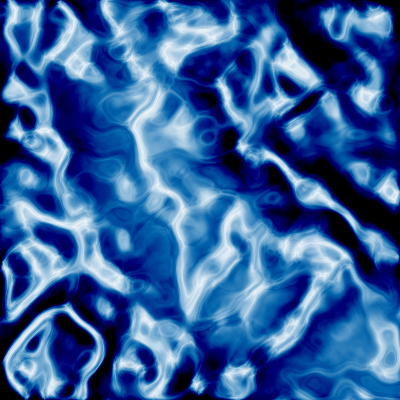
You should be left with something like