


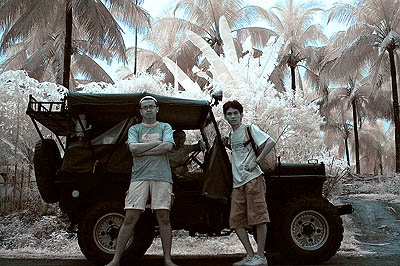
This tutorial will show you how you can change the color in an infrared photo like this:

into this:
Step1: Channel Swap
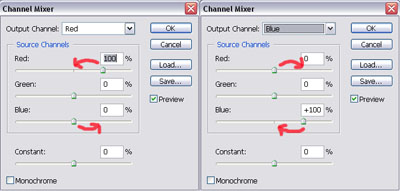
After you open your image, open your channel mixer palette (image>adjustments>channel mixer) and do this:
output channel red
source channel red 100% -> 0%
source channel blue 0% -> 100%
output channel blue
source channel red 0% -> 100%
source channel blue 100% -> 0%
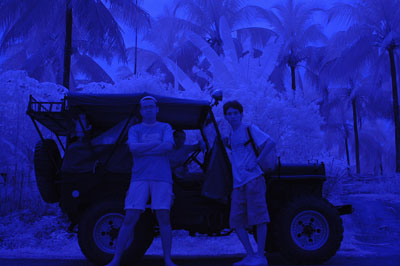
You should have something like this:
Step 2: Level Adjustments
Now open your level adjustment palette (image>adjustments>levels). Choose the red channel and move the slider to the left as below:
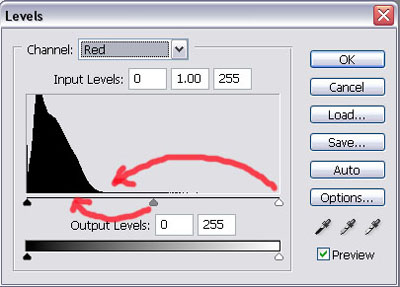
..and now choose the green channel and move the slider to the left as below:
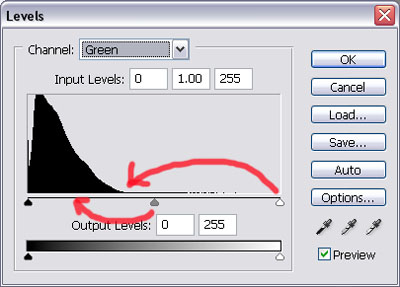
Your image should now look like this:
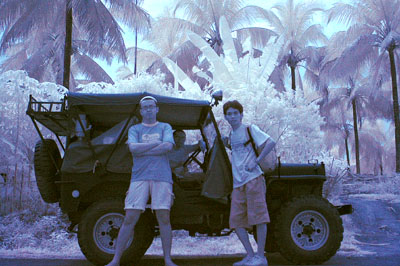
Step3: Curve Adjustments
In this step we're going to adjust the white balance with curve adjustments by go to image/adjustments/curves, then choose the grey tone as below
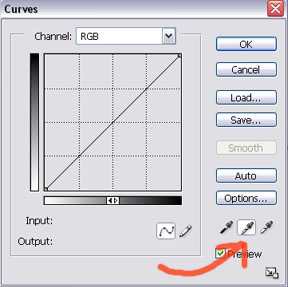
Now we must find the 50% grey tone in our image. Please choose carefully to get the right overall tone for your image.
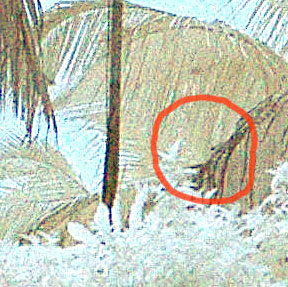
You should have better color tone like this

Step 4: USM, Brightness/Contrast, Hue/Saturation adjustments
Just playing around with these adjustments for the best result.
Here's mine
