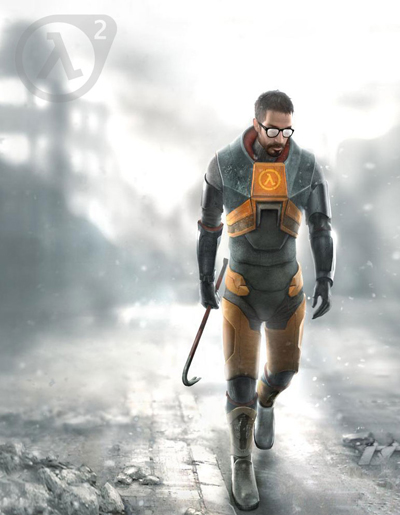
You might have noticed that the computer games market is saturated with a lot of good games and ballyhoo names. Perhaps the best representative of FPS is Half-Life. So the creating of logo for Half-Life will be described in this tutorial.
Create the new document of 220x220px size with the black background.
Select Ellipse tool with the following settings and draw the circle of 170x170px size a little bit closer to the left edge:

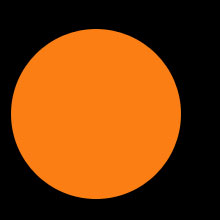
Now click "Subtract from Shape Area" in Ellipse settings and draw the circle inside the first one with 140x140px size.

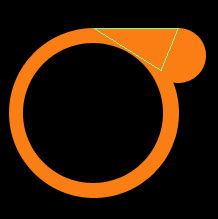
Now click "Add to shape area" in Ellipse settings and draw one more circle in the right upper corner. This circle's edge should overlap the edge of the biggest circle and be placed as shown on the picture:

Next select the Pen tool and create two triangles as shown on the picture below:
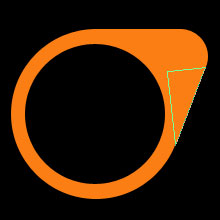
The logo edging is done.
Now the inscription itself. Create the "lambda" letter, the sign of Half Life, using the same Pen tool.
Just set Anchor Points in the following places:

Half Life Logo is almost ready.
Select all the layers with the logo and merge them.

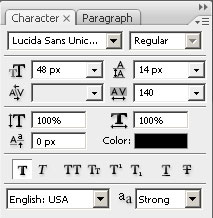
Now choose Type tool and write 2 in the upper right corner of the logo.

Ctrl+Click on the layer, then hide it, after that select layer with logo and press del . Deselect.
Half Life is finished. Moreover you can use it for adding on other images.
To do that use Desaturate, lower Opacity for 50-80%.

Now just drag the Half Life 2 logo on the image you like and enjoy the result.