


Step 1
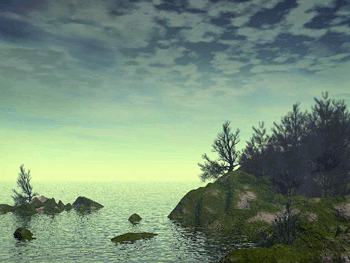
Open RGB picture.
Step 2
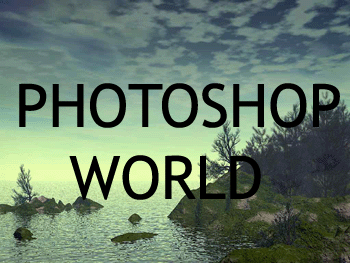
Take the Horizontal Text Tool (T) and type some text on the picture.
Step 3
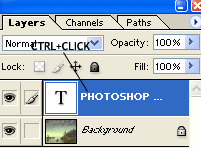
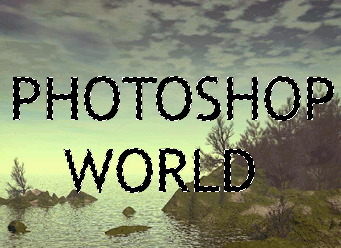
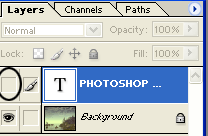
Hold down Ctrl key and click on text layer from Pallete Layers. Look at the picture below!
Step 4
After that, hide that layer.
Step 5
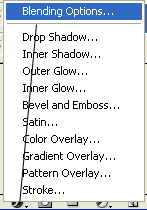
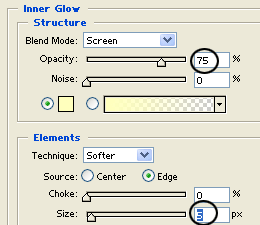
Then, press Ctrl+J on the keyboard and after that click on Add a Layer Style icon, and choose Blending Options. See the picture below!
Step 6
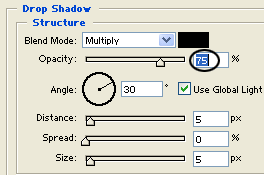
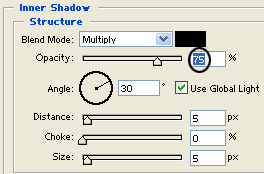
When you do that, set the options from the pictures below!
Step 7
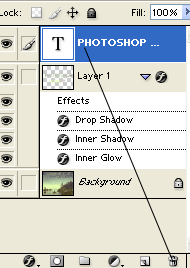
Select the Text layer, and Delete it.
Step 8
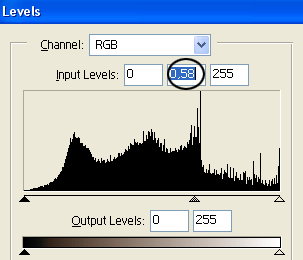
Select the background layer and press Ctrl+L on the keyboard. After that, select the options from the picture below.
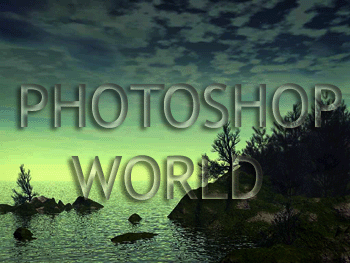
Finally, our work looks like this:
Have a nice day!
