Step 1. Make a new document. I made it 200x50 with a white background. Make a new layer and grab the rounded rectangular tool with the settings below and draw a shape like below :


Step 2. Now make a new layer and using the rounded rectangular tool with the settings below make a smaller shape like below :


Grab the gradient tool and select from White to transparent and go from Bottom to top.
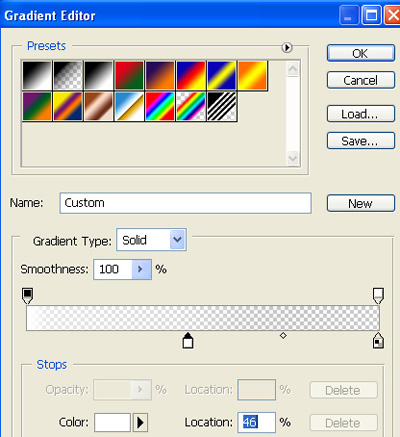
This is my result :

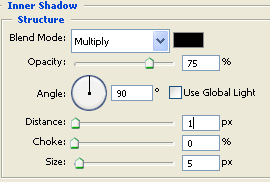
Now return to the second layer and add a Inner shadow with the settings below :
Step 3. This is my final result with text :

 This post was written by owner of