Step 1. Create a new document choose your text color and add the letters that represent your websites name.
Now depending on how you want to create your logo add another letter. I added it inside of the first. But you can add it anywhere.


Step 2. Now you have to rasterize the text layers. You can do that by right clicking them and selecting Rasterize Type.
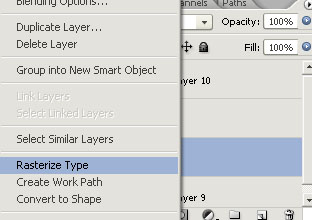
Repeat that to the second layer and return to the top layer and merge the layers by pressing Ctrl+ E.
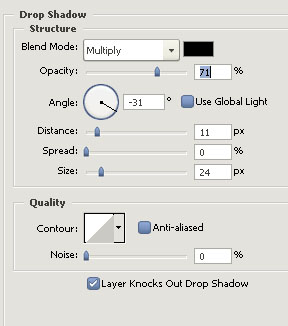
Now add a drop shadow with the settings below:
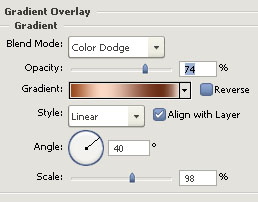
Step 3. Also add a Gradient overlay with the settings below:
Go to Edit-Transform-Distort and move the corners until you get a good shape.
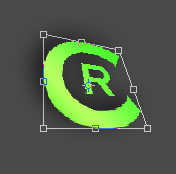
Step 4. Select the layer and grab the Lasso tool with the settings below and make a cut like in the 3th picture below:



Make a new layer and fill the selection you got with white and lower layer opacity to 20-30%.
This is what I got:

This is my result as a website banner:
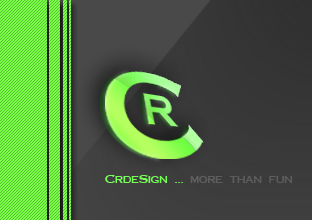
(to get the 3d text effect duplicate the text layer move it behind and move it in the left of the other text.)
 This post was written by owner of