Step 1
Create a new image, and press D to set default colors.

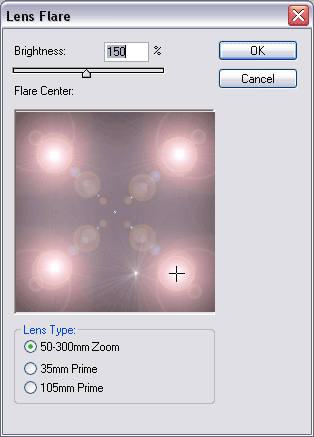
Fill in the background with black. Select the lens flare filter and create four lens flares in the corners like above.
Step 2
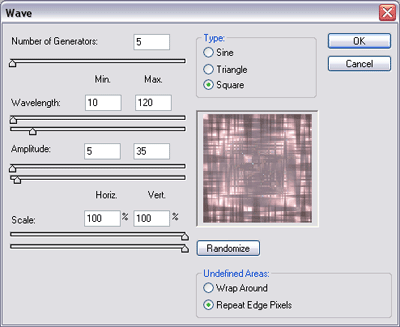
Select the wave filter, and use the above settings.
-- Above From Abstract Boxes Tutorial
Step 3

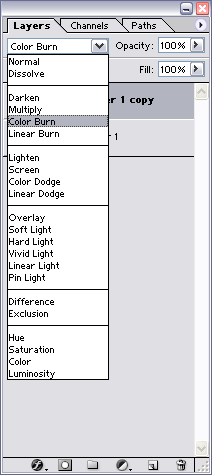
Duplicate your layer (Ctrl+J), set the blending mode of the new layer to color burn.
Select the polar coordinates filter and use the above settings. Merge Down (Ctrl+E)
Step 4
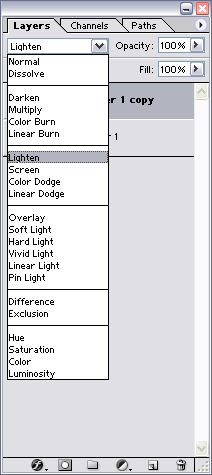
Duplicate your layer (Ctrl+J) and select the blending mode to lighten.
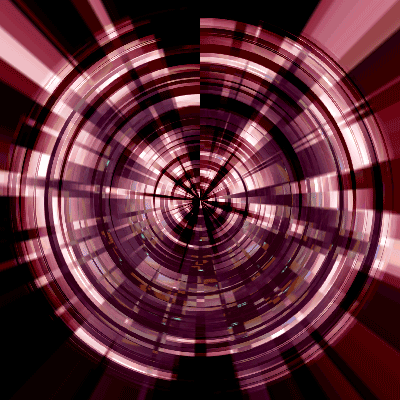
Final product