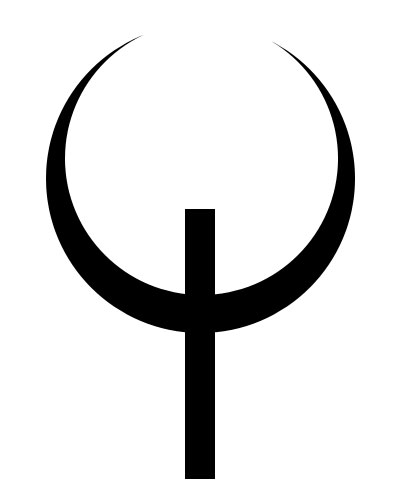
In the previous tutorial I showed how to draw Quake 3 logo. Yet the time passes by, and one hit changes the other. John Carmack has given us pleasure to enjoy his new masterpiece – Quake 4. So, in this tutorial I'll show how to create Quake 4 logo.
Create a new document of 400x500px size (Ctrl+N). Draw a circle of 310x310px size in the upper part and in the middle of the canvas with the help of Shape tool (U)


In properties area select Subtract from Shape Area (-) and draw a circle in the middle of the first circle with the size of 273px, so that it goes outward the top borders of the first circle.

Now select Add to Shape Area (+) and draw a rectangular 30x270px in the bottom of the crescent. It must be in the middle of crescent and its one-third must be above the line and two-third should be under it.
Now select Pen tool (P), then Subtract from Shape Area (-) and draw four triangles on all four corners of the rectangular. Place the triangle as shown on the picture:
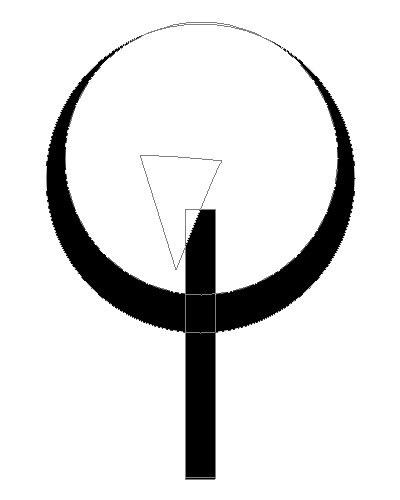
Cut off the other three corners the same way. This is the result:

The base for the logo is ready. Now add the special shapes in the lower part of the crescent. They symbolize the fourth part of the game. Draw a trapezium in the lower part of the crescent with the help of Pen tool (P).
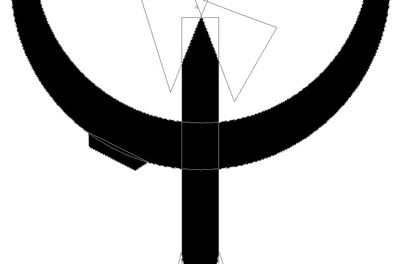
Draw one more trapezium near the previous one the same way. Then draw two more shapes from the other side.

We are approaching the end. Now let's add details, roughness and colors.
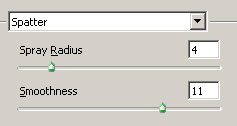
Ctrl+Click on the layer, create the new layer, go to Quick Mask Mode (Q). Next go to Filter>Brush Strokes>Spatter.
Go out Quick mask Mode (Q) and fill the selection with #202c06 color.

The logo is finished. You can blur it a little (Filter>Blur>Blur) and add the text using quake font.