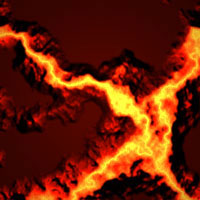
Step 1.
Create a new document with the size 200X200 pixels. Create a new layer and press Ctrl+Backspace to fill it.
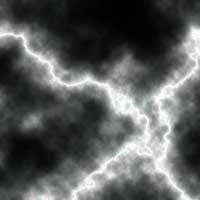
Apply Filter > Render > Clouds and then Filter > Render > Difference clouds.

Step 2.
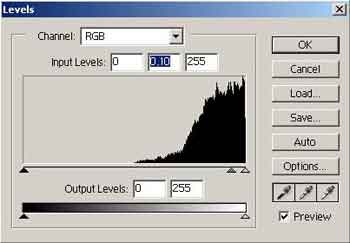
Apply Image > Adjust > Invert to invert the image. Apply Image > Adjust > levels... and use the following settings:
Step 3.
Apply Image > Adjust > Brightness/Contrast with the following settings: Brightness => -38; Contrast => +11; and then apply Image > Adjust > Hue/saturation with the following settings: Colorize=ON; Hue => 5, Saturation => 100, Lightness => +11.

Step 4.
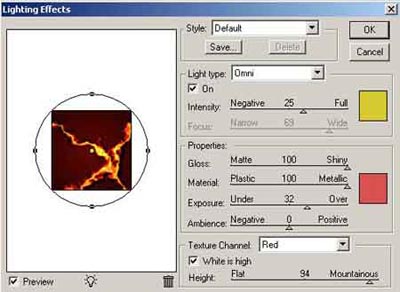
Apply Filter > Render > Lightning effect and use the following settings:
And that's it.