

This an awesome tutorial, Using a day time Photograph we will turn it into a night time picture with a few simple steps....so find your image or use the one here in this tutorial, to view the original image scroll down! this was inspired by the tutorial over at www.videocopilot.net, If you are an avid user of photoshop and you have been curios to enter the video effects world using after effects this is a simple transition, by using most of the same adjustments you can have the same results you get while using photoshop...
This is the Original image an ally downtown...very scary..lol save image to follow along.
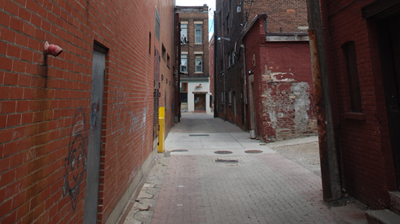
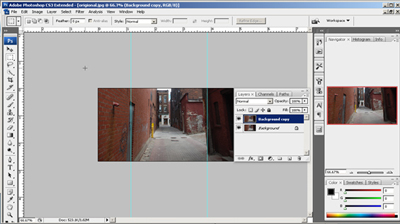
Step 1 : This image is nice, but the vertical lines are slightly slanted. I use my ruler and line up the image, then Duplicate
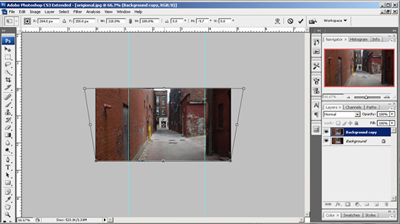
Step 2 : Select the Duplicate layer and go to Edit/Transform/Perspective and for this image Pull the corners outward to line up the vertical lines, Then adjust the center node to correct the slight angle.
Step 3 : Now Create Two new layers, Fill One layer with #0F3353 and set to Multiply the second with #285010 and set to Soft Light lets call these Adjustment layers. I added a little darker paint to the sky area and smudged it to blend. (you can see in the image below on the blue layer)
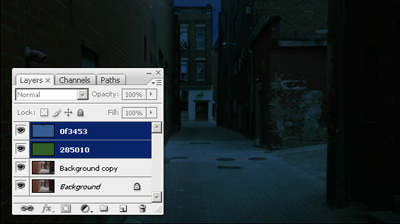
This is the effect very impressive, No!?.. O.K. it is nice but lets add a light to the shot there is a light pole in the ally so lets light it up.
Step 4 : Using the Pen Tool we will draw the shape of the light fixture.
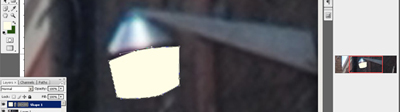
Step 5 : Rasterize the new layer and duplicate, Then Go to Filters/Blur/Gaussian Blur and set to a pleasant setting, Do the same for the second layer but Blur about Twice as much as the first.
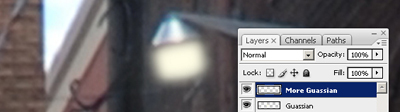
Well if you understood my gibber than you should have something like the image above..Yes!? then good: ) now turn all your layers on and you should have a very awesome night effect.
Original Image:
Final Result:
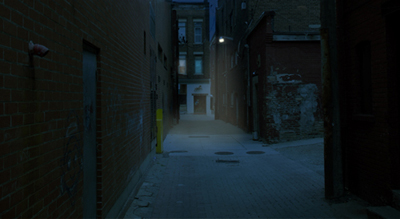
The second one here i added a light beam from the light fixture and added a light coming from the windows. One has a blue light to mimic a T.V. glow...
Next we will make this image into a 3D ally and then we'll to after effects to make the image into a Motion scene with actors... Stay tuned!
