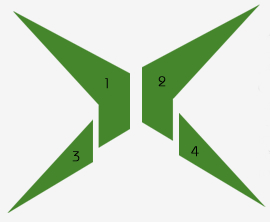
1. Using Polygonal Lasso Tool to make a shape and fill the color #45862C like this:

2. Continue to use Polygonal Lasso Tool to split that shape into 4 parts (each part in one layer)
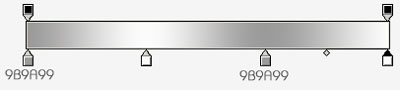
3. Now the most important is to radiate light upwards, you will pick Gradient tool and set the color like this:

Ctrl + click on layer No.1, use Gradient to drag like the result below

Continue to apply step 3 to 3 remain layers, you will get the result like this:

4. Create a new layer, zoom out the right angle of the shape then use Polygonal to draw a selection like the picture below:

Pick Gradient tool and set the color like this:
Apply gradient to the selection, you will get the result like this:

Continue to apply step 4 to 3 remain layers, you will have:

Final step, you will make shadow around the logo, and this is my final result: