


In this mini tutorial you will learn the bare bones basics of the pen tool. This is the hardest tool to get used to in Illustrator and Photoshop, but it's really worth persevering with it.
1. Let's start by creating the simplest paths of all- straight corners. Select the pen tool and simply click where you want to add a point. Illustrator will join these points with paths. imagine you are drawing a square.

2. To close the path, mouse over the first point you created.
You will see a circle symbol displayed under the cursor. This is Illustrator's way of hinting that you are about to close a path.

3. Once the path is created, you will want to manipulate the individual points you plotted. To do this, you need to use the subselect Tool (white arrow) to click on the point you want to move.
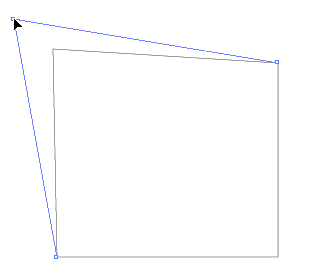
4. Click and drag a point inwards like in the screenshot below. This completely changes the shape.
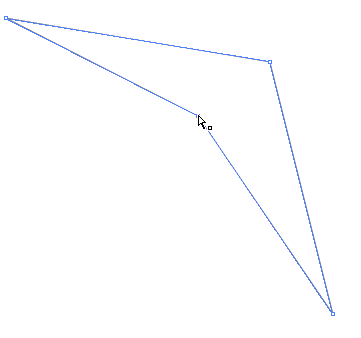
5. Clicking adds Straight points, or corners, to a path.
If we want to change one of these points to a smooth point (curvy) we need to Convert the point.
The Convert Anchor Point Tool converts straight points to smooth, and smooth points to straight.
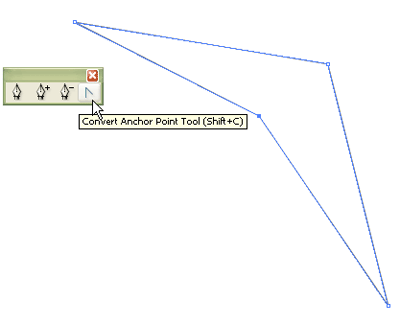
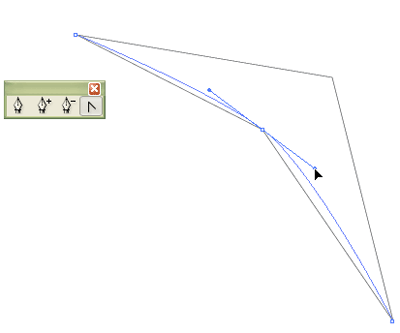
6. Select the Convert Anchor Point Tool and click and drag the point you just moved. Drag towards the right and downwards, as shown. This creates a curvy path. Both lines at each side of this point are connected- so if one curves, the other curves too, creating a Smooth path.
Quick Shortcuts
1. To switch to Direct Selection Tool whilst drawing, Hold down Ctrl/CMND
2. To switch to Convert Anchor Point Tool, Hold down Alt/OPTION
3. To start drawing a new path, Hold down Ctrl and click somewhere on the artboard to deselect the previous path.

