

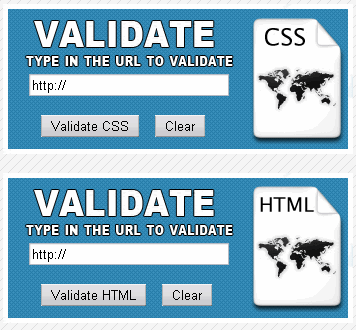
Hi! Today we learn how to validate HTML and CSS from your page. This tip is useful if you have a website about web design where you have tools for development! Here is the final result
with a design what i made, you have all files in the archive here. Let's Start.
1. Open your text editor and type the next HTML code
| <html>
<head> <title>Validate CSS, HTML, XHTML from your page</title> </head> <body> <div> <form method="get" action="http://jigsaw.w3.org/css-validator/validator" target="_blank"> <input name="uri" id="uri" size="30″ value="http://" /></p><br><br> <label title="Submit file for validation"><input type="submit" value="Validate CSS" /></label> <label title="Clear HTML data"><input type="reset" value="Clear" /></label> </form> </div> <br> <div> <form method="get" action="http://validator.w3.org/check" target="_blank"> <input name="uri" id="uri" size="30″ value="http://" /></p><br><br> <label title="Submit"><input type="submit" value="Validate HTML" /></label> <label title="Clear"><input type="reset" value="Clear" /></label> </form> </div> </body> </html> |
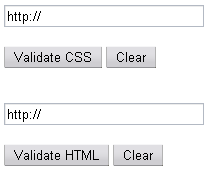
Look at the next picture how ugly is without CSS
2. Now let's to create the CSS code. I put a background at the page to be more beautiful and i create a background image in Adobe Photoshop for the div's!
You have all files in the archive.
| <style type="text/css">
body { background-image: url("bg.gif"); } div { width: 350px; height: 150px; background-image: url("validate.jpg"); repeat: no-repeat; } div.2 { width: 350px; height: 150px; background-image: url("validate2.jpg"); repeat: no-repeat; } form { padding-top: 70px; padding-left: 26px; } label { padding-left: 12px; } </style> |
3. Now we put the HTML and CSS code together
| <html>
<head> <title>Validate CSS, HTML, XHTML from your page</title> <style type="text/css"> body { background-image: url("bg.gif"); } div { width: 350px; height: 150px; background-image: url("validate.jpg"); repeat: no-repeat; } div.2 { width: 350px; height: 150px; background-image: url("validate2.jpg"); repeat: no-repeat; } form { padding-top: 70px; padding-left: 26px; } label { padding-left: 12px; } </style> </head> <body> <div> <form method="get" action="http://jigsaw.w3.org/css-validator/validator" target="_blank"> <input name="uri" id="uri" size="30″ value="http://" /></p><br><br> <label title="Submit file for validation"><input type="submit" value="Validate CSS" /></label> <label title="Clear HTML data"><input type="reset" value="Clear" /></label> </form> </div> <br> <div class="2″> <form method="get" action="http://validator.w3.org/check" target="_blank"> <input name="uri" id="uri" size="30″ value="http://" /></p><br><br> <label title="Submit file for validation"><input type="submit" value="Validate HTML" /></label> <label title="Clear HTML data"><input type="reset" value="Clear" /></label> </form> </div> </body> </html> |
That's it! Thank you!
