
Create Rollover Image in CSS ( You can see the final result here )
I made two buttons for this tutorial, save it if you want to work with them.


1. Open Notepad and type the next code:
|
<html>
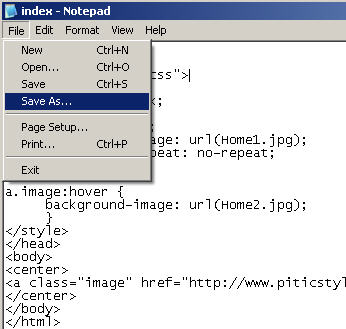
<head> <style type="text/css"> a.image { display: block; width: 300px; height: 200px; background-image: url(Home1.jpg); background-repeat: no-repeat; } a.image:hover { background-image: url(Home2.jpg); } </style> </head> <body> <center> <a class="image" href="http://www.piticstyle.com" mce_href="http://www.piticstyle.com" target="_blank"></a> </center> </body> </html> |
2. Click on File > Save as and save like HTML

3. Go in the location where you save your page and open it
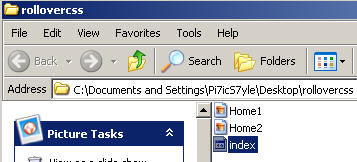
Note: If your images don't appear the problem is in the location where you save it your page. The images and index.html will need to be together, same location or same folder. Thank you!
