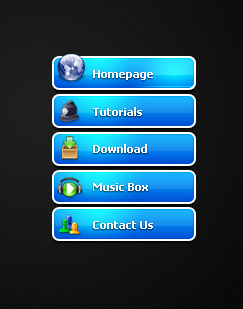
Create a new document, create a new layer, use Rounded Rectangle Tool to make a selection then fill color like this:

Blending Options for selection layer
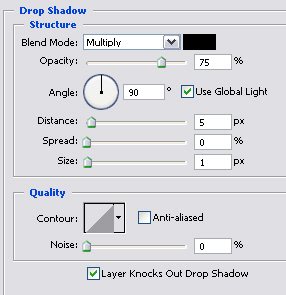
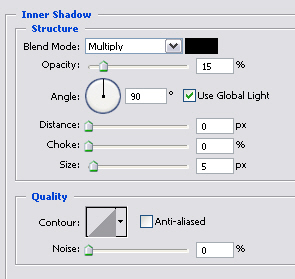
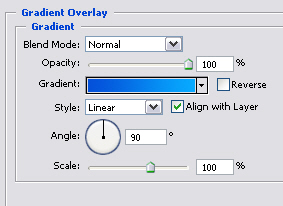
You will get:

Create a new layer, Ctrl + Click on layer 1 to get selection, use Radial Gradient (white color) drag a line like this:

Change Blend Mode: Overlay, and you will have:

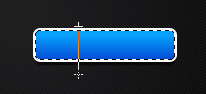
Use Singer Row Marquee Tool to make a selection 1px like the picture below:
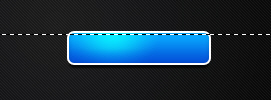
Press Ctrl + J to duplicate layer, you will have:

Create a new layer, Ctrl + Click on layer 1 to get selection, go to Select -> Modify -> Contract then put 1 in box Contract Selection:
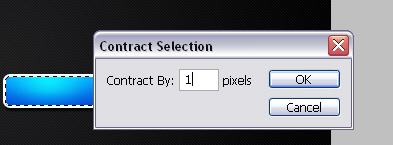
Fill it with white color, make a new selection like this:
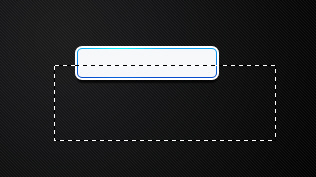
Press Delete, adjust Opacity 10% you will get final result.
Add some text and icons to each button: