Step 1: Creating the Workspace:
Start with a 300 x 100 Document
Step 2: Create some text
Next grab the text tool and create a piece of text like this:

Im using a Bold Verdana Font at the size of 60 px.
Step 3: Add some styles
Now on the text layer right click on it and select blending options. Apply the follow styles to the text layer.
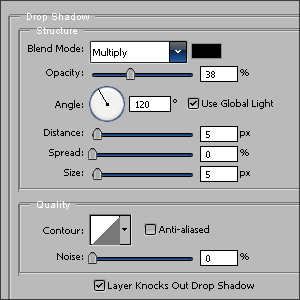
Drop Shadow:
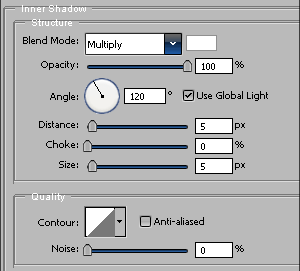
Inner Shadow:
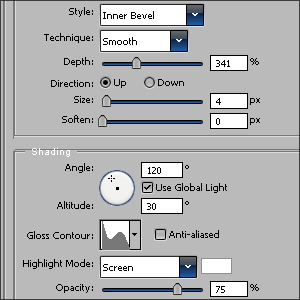
Bevel and Emboss:
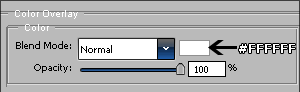
Color Overlay:
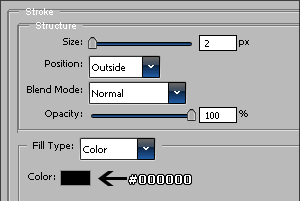
Stroke:
And there we have it metal style text!
The Final Result: