Start by creating a text like the one below using this colour 0b76d1 .

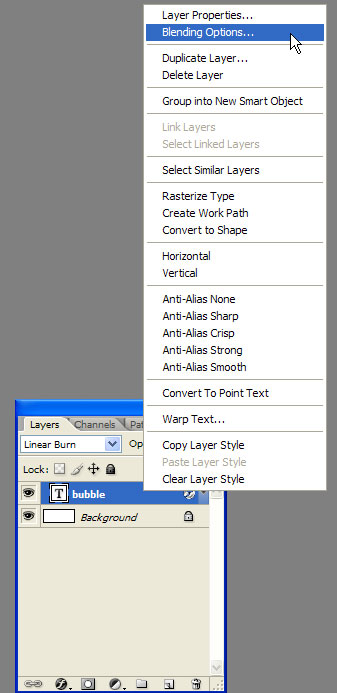
Now right click the layer and select Blending options.
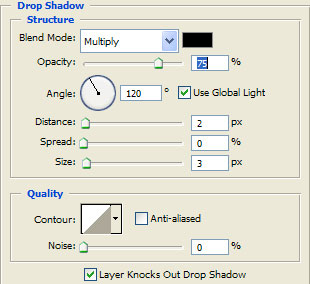
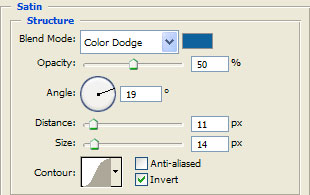
Now make these settings.
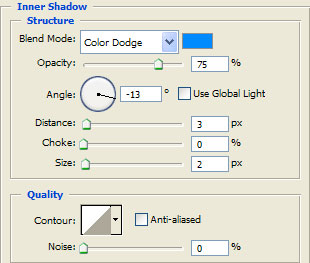
For the Inner Shadow use this colour 008aff .
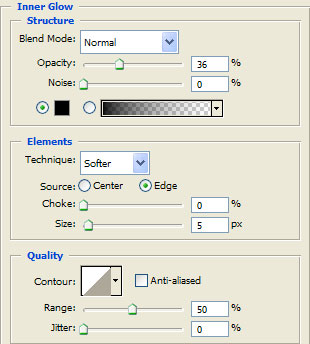
Use this for the Inner Glow 000000 .
And for the Satin use this one 0d619c .
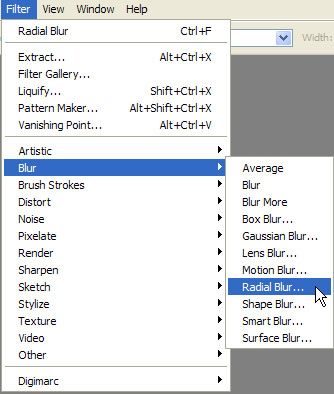
Now go to Filter> Blur>Radial Blur like in the picture.
Photoshop will ask you if you want to rasterize the layer. Click OK !
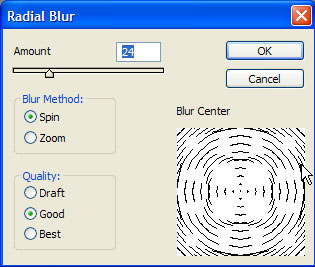
Now set the amount of Radial Blur like in the picture.
And this should be your final result.