First of all we have to create the bulb.For this select the custom shape tool.
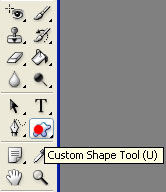
And then select the light bulb.

Be careful that the background is black the the light bulb is white so that you have the same contrast like in the picture below.

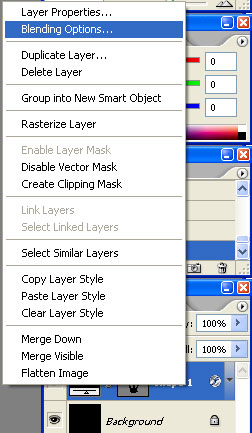
Now right click the layer and select Blending options.Or simply go to Layer>Layer style>Blending options.
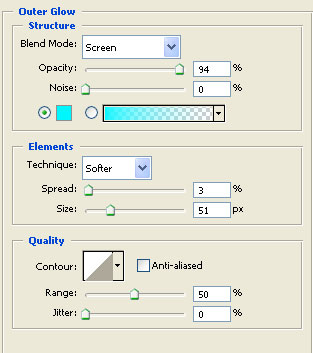
Select Outer glow and set these values.
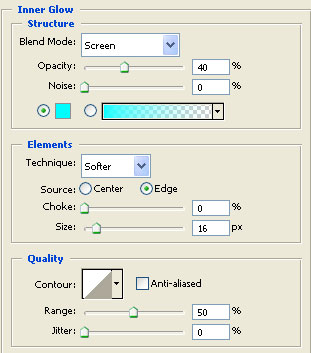
Then the Inner glow.
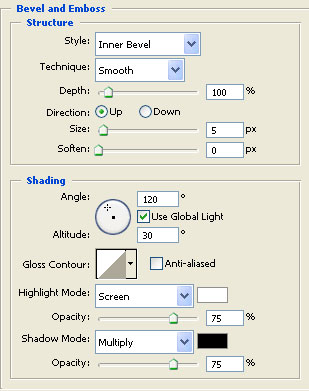
Now the Bevel and emboss.
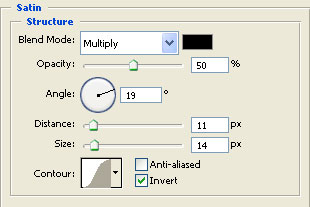
At the Satin set these values.
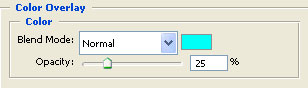
And this colour to the Color overlay.You don't have to use the exact colour.
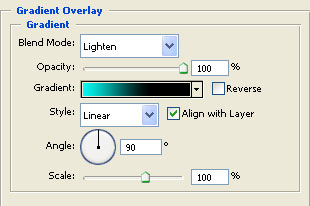
And now the Gradient overlay.
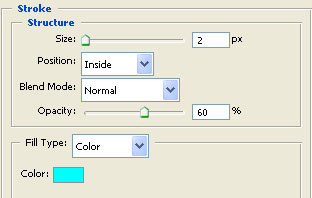
And Stroke.
You should obtain this by now.