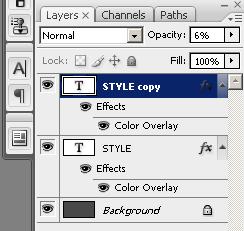
1. Create a new file and write the Text ( I use for background #484848 and for text #4a76f5 )

2. Now duplicate the Text Layer ( select the text layer, right click and select Duplicate )
3. Go to Edit -> Transform -> Flip Vertical

4. Now with the Duplicate Layer selected low the opacity at 6% and you finish!